
scmJS documentation
scmJS is a StarCraft: Brood War map editor that runs in a browser tab or as a desktop app. It opens, edits and saves StarCraft maps: .scm, .scx and .chk files.
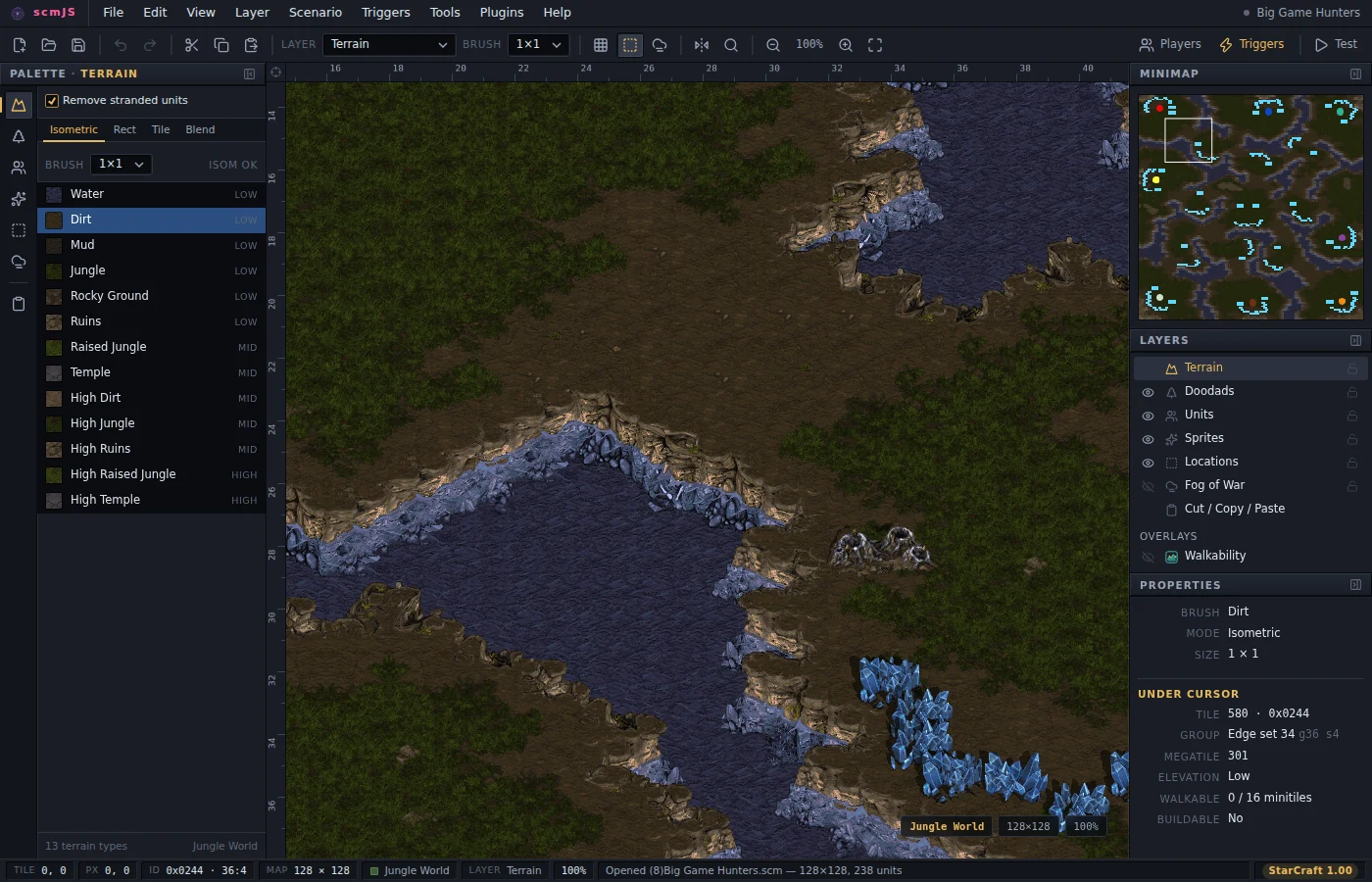
The latest version of the editor is always available at scmjs.dev/editor.
What it does
Besides the terrain, units, locations and triggers every StarCraft editor has, scmJS does some things other editors do not. Each links to where it is explained; the ones marked Browse Plugins are one click away under Plugins ▸ Browse Plugins… rather than installed from the start.
- Classic or Remastered graphics. Point the editor at a StarCraft: Remastered installation and it draws the map with Remastered's terrain, units and moving water, at twice the detail. View ▸ Remastered Graphics switches between that and the classic look at any time. See Classic or Remastered graphics.
- Several people on one map. Share the map you have open, and anyone you send the link to edits it with you from their own editor, seeing the others' changes and pointers as they happen. See Editing a map together.
- Triggers as code. TrigScript writes triggers in TypeScript kept
inside the map: loops and helpers that produce ordinary triggers, tests, and a simulator
that plays the script through before you do. For StarCraft: Remastered,
program()code runs in the game itself, with variables, arrays and functions, and is built into the map when you save. - Triggers as a graph. Trigger Map (Browse Plugins) shows which triggers set a switch, a death counter or a location and which ones read it, and lists switches nothing sets, counters nothing reads and triggers that never run. See Plugins.
- The ground as a unit walks it. View ▸ Walkability (Ctrl+Shift+W) draws the islands, the areas the map divides into, the chokes between them with their widths, and the distances between start locations. See Plugins.
- Damaged and protected maps. The Repair plugin reads a map the way the game does when it opens, lists what is missing or broken with the fix for each, and rebuilds the isometric record protectors strip, so the terrain brush works again. Section Explorer (Browse Plugins) shows the file byte by byte, with what each byte means. See Protected and damaged maps.
- Nothing lost on save. A section the editor does not know, a malformed one, or an archive file it cannot name is written back exactly as it was read. See Opening and saving maps.
- Terrain from a picture. File ▸ Import ▸ Terrain from Image… turns an image into terrain, with cliffs and shores laid at every boundary. See Plugins.
- Stamps. Save a ramp, a bridge or a mineral line once and lay it down on any later map from the Stamp Library. See Cut, copy and paste.
- Doodads into terrain. Right-click a doodad and Convert Doodad to Terrain keeps its tiles as ordinary ground you can edit tile by tile. See Doodads.
- A recording of the build. Timelapse (Browse Plugins) records the map one change at a time and exports it as a GIF or a WebM video. See Plugins.
- Maps from scmscx.com. File ▸ Find on scmscx.com… searches the community map archive
and opens the map you pick; a link to
scmjs.dev/editor/scmscx/and the map's id opens it straight away. See Opening a map. - Work kept. Several maps open at once in tabs, a recovery copy of unsaved work if the
editor closes, and the version a save replaced kept as a
.bakor under File ▸ Previous Versions. See Saving and Recovery copies. - In English or Korean. Preferences ▸ General switches the editor's language. See Keyboard and preferences.
The documents
- InstallingGetting to the hosted editor, downloading and installing the desktop app for Windows, macOS and Linux, the container, and getting the game's graphics.
- User guideHow to use the editor: Your first map, then each layer and dialog - terrain, units, triggers, settings, saving, editing one map with multiple people, map sharing, and how to install plugins.
- TrigScriptTriggers written as TypeScript: the script window, tests, triggers made by code, programs that run in the game on StarCraft: Remastered, examples and the reference.
- PluginsInstalling plugins and what they may do, writing one, and a tour of the API.
- Trigger referenceEvery trigger condition and action: what it does, its arguments, its text form and where it is stored in the map.
- Opening and saving mapsWhat the editor does with a map file: what it preserves, what Save can strip, revisions, protected and built maps.
- CHK format referenceEvery section of a scenario file: its byte layout, what a repeat does, whether the game needs it, the values its fields take.
- Game dataWhere the graphics come from, how they are extracted, and what the editor does without them.
- DevelopmentBuilding the editor and the desktop app, the release channels, and the repository layout.
- API referenceEvery call a plugin can make, group by group — plugin API version 1.
Where to start
- New to the editor: Getting started, then Your first map.
- Wondering whether it does the thing you need: What it does not do.
- Installing a plugin, or wondering what one may do: Using plugins.
- Writing a plugin: try the API first in the API Playground, which runs code against the open map in the editor. Then Writing a plugin and the API reference; Hello World is the repository to copy.
- Working on the editor itself: Development and Opening and saving maps.