
Beside the map
The editor opens two ways. The window is for writing; Beside the map — an icon right of its tabs, or Triggers ▸ TrigScript beside the map — is a panel over the map that blocks nothing: drag it by its title, resize it by its corner, and keep placing units while the code sits next to them.
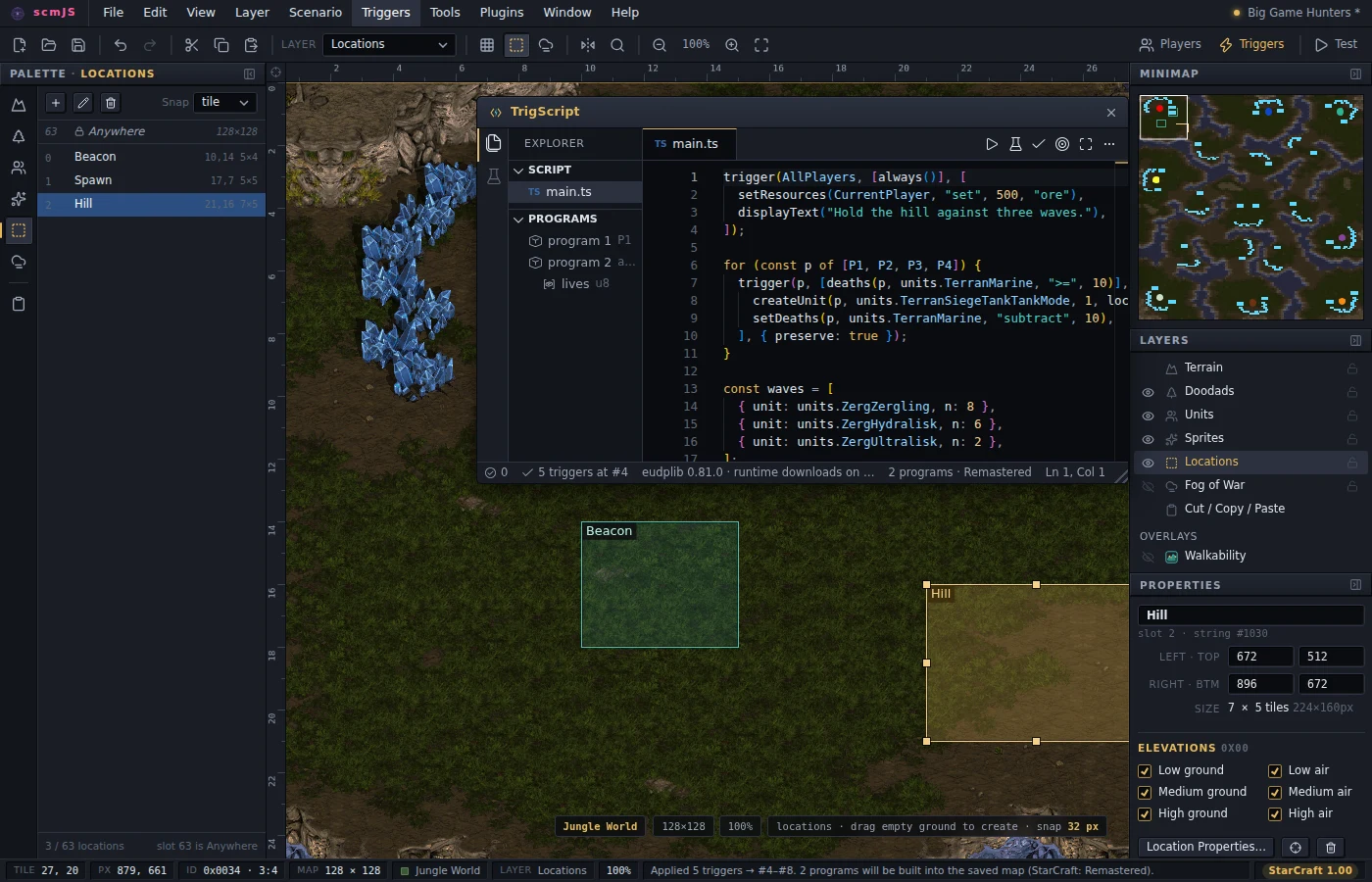
Beside the map, the names in the code and the objects on the map know about each other:
- Ctrl+click on
locations.Beaconscrolls the map to the location and flashes it. Hovering the name says where it is and how big. - Pick from map (the target icon, or a right-click in the code): click a location or a
unit on the map, and its name (
locations.Beacon,units.TerranMarine) lands at the cursor. From the window, it first moves the editor beside the map. - When you rename a location or a switch the script mentions, a notification offers to
update the references in every file. It follows the name the way the code does — an
alias from
import { locations as L }counts — and leaves comments, strings and anything merely spelled the same alone.