
TrigScript
Triggers written as TypeScript: a quick start, triggers made by code, programs that run in StarCraft: Remastered, testing, the workspace and the reference.
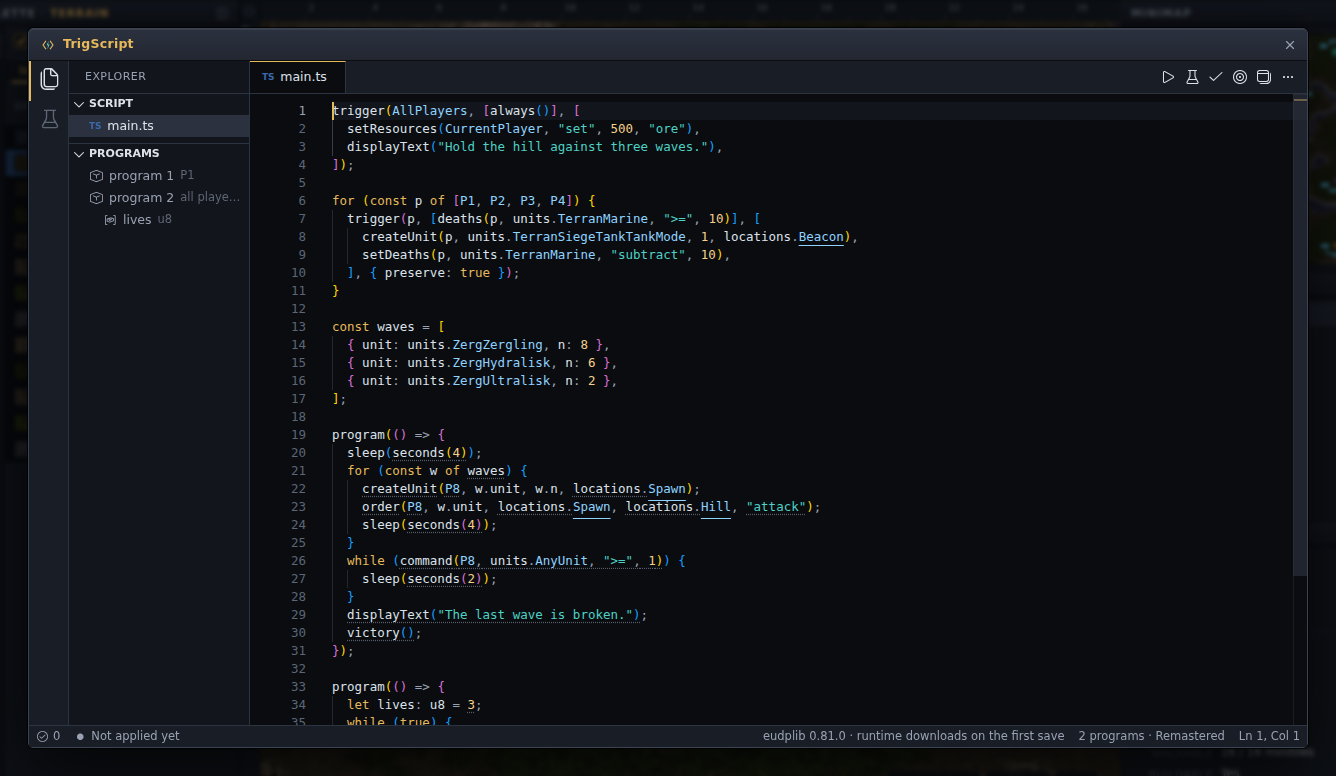
TrigScript lets you write a map's triggers as code. The code is TypeScript, and it is kept inside the map. TrigScript is a plugin that is on from the start: Triggers ▸ TrigScript… opens it as soon as a map is open.
A script can make two kinds of things:
trigger() |
program() |
|
|---|---|---|
| What it makes | Ordinary triggers in the map's list | Code that runs inside the game |
| Plays on | Every version of StarCraft | StarCraft: Remastered only |
| Good for | Anything the Trigger Editor can do, without the repetition | Counters, timers, per-player state, loops over units, keys and chat |
Each trigger() call becomes one trigger, the same kind the Trigger Editor shows. The
code around the calls runs only while the script is applied, so a loop over the players, a
helper that returns the ten triggers a shop needs, or a table of waves all end up as plain
triggers.
Code inside program(() => { … }) runs in the game instead. It has variables, arrays,
text, functions, classes, loops and sleep, so a lives counter or a wave timer is a loop
rather than a dozen triggers with hand-numbered death counts. TrigScript builds programs
into the map itself when it is saved, in under a second, and a map
with a program in it needs StarCraft: Remastered. If the map must play on the classic
game, use trigger() only.
TrigScript works beside the editor's other trigger tools. The Trigger Editor shows the triggers a script made, and the Text Trigger Editor (the TrigEdit plugin, installed but off until you turn it on) shows them as text. The Trigger Map plugin, from Plugins ▸ Browse Plugins…, draws how triggers depend on each other. See Triggers in the user guide. What each condition and action does in the game is in the trigger reference. The words this page uses are explained under Terms.
- Quick startThis makes a map where Player 1 wins by walking a Marine onto a marked spot.
- Writing triggersA trigger is one call:
- Examples of triggersEach of these is a complete main.ts, and each plays on every version of the game.
- ProgramsEverything inside program(() => { … }) runs in the game:
- Examples of programsEach of these is a complete main.ts for a map that needs StarCraft: Remastered.
- ShowcaseMaps made with TrigScript, each with its whole script and a recording of it played in StarCraft: Remastered.
- Coming from eudplibThis page is for map makers who already write EUD maps with eudplib, in Python or in epScript, and build them with euddraft.
- Testing and SimulateTrigScript can run a script without starting the game, in a simulator built into the editor.
- The workspaceThis part covers the TrigScript window, the panel beside the map, and what happens to the script when the map is saved.
- Referencenot() flips a comparison or a switch test, and turns always() into never().
- TroubleshootingThe TrigScript window stays on "Loading the editor…".