
Units
The Units layer places everything the game has a unit for: the three races' units and buildings, heroes, critters, resources, start locations, beacons and powerups. The palette groups them by race, and the search box takes a name or an id.
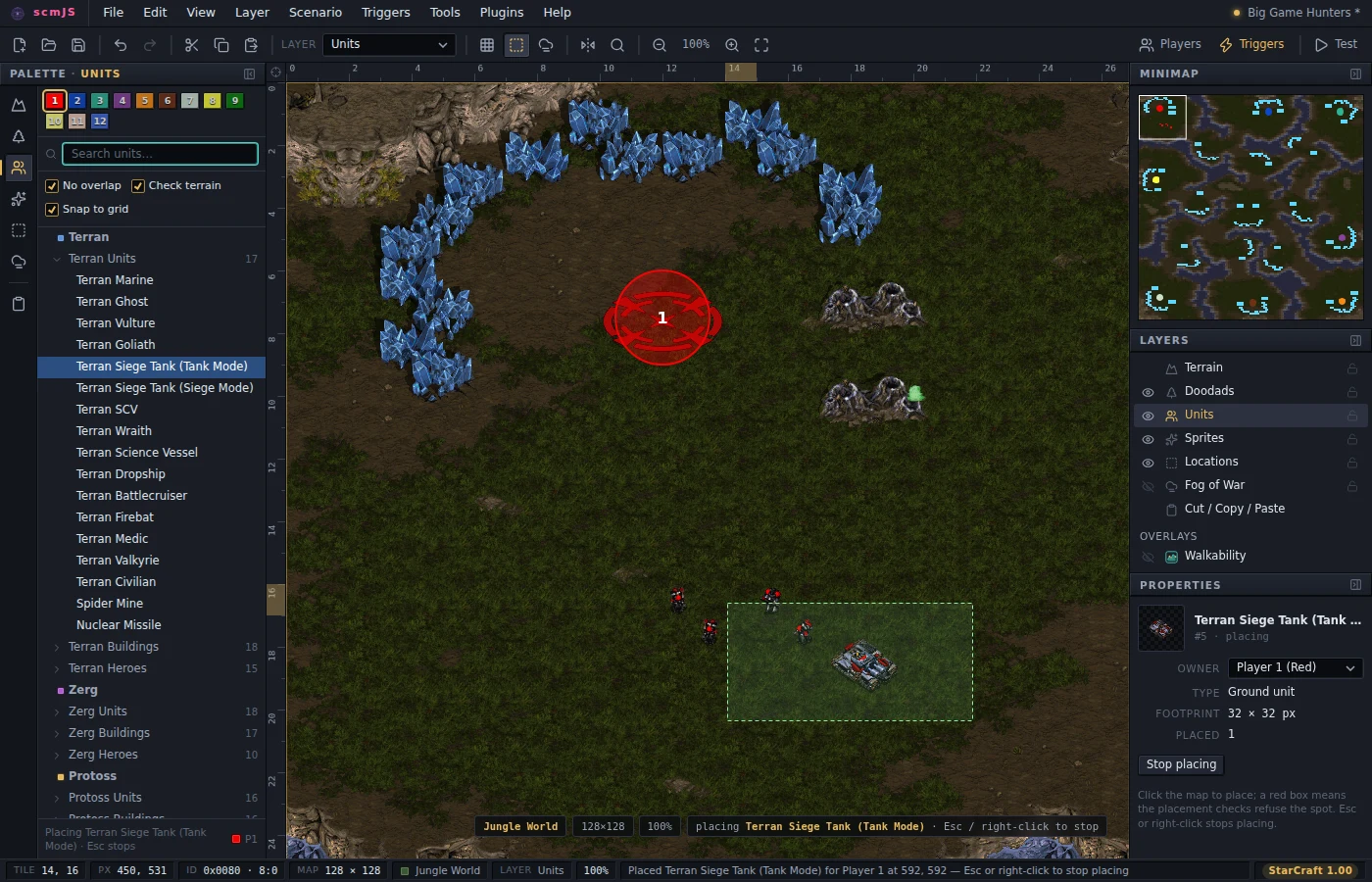
Picking a unit type arms placement, and each click on empty ground places one for the player selected at the top of the palette. Esc or right-click stops placing and drops you into select mode, where a click selects, a drag on empty ground marks a box, and a drag on a unit moves it. Del deletes the selection.
Snap to grid puts buildings, resources, start locations and beacons on the tile grid by their placement box, the way StarEdit stores them, and every other unit on the nearest tile centre. Turn it off for pixel placement, SCMDraft-style. It applies to a move as well as a placement, so dragging a unit that sits off the grid brings it back onto it.
The placement checks are on by default and refuse a spot with a red ghost and a reason in the status bar. They are the rules the game applies when it loads a map and silently drops the units that do not fit: no overlapping collision boxes for ground units and buildings, buildable tiles under a building's whole placement box, walkable ground under a unit. The unit in the way gets outlined. Untick them for a stack of units on purpose, and expect the game to keep only the first.
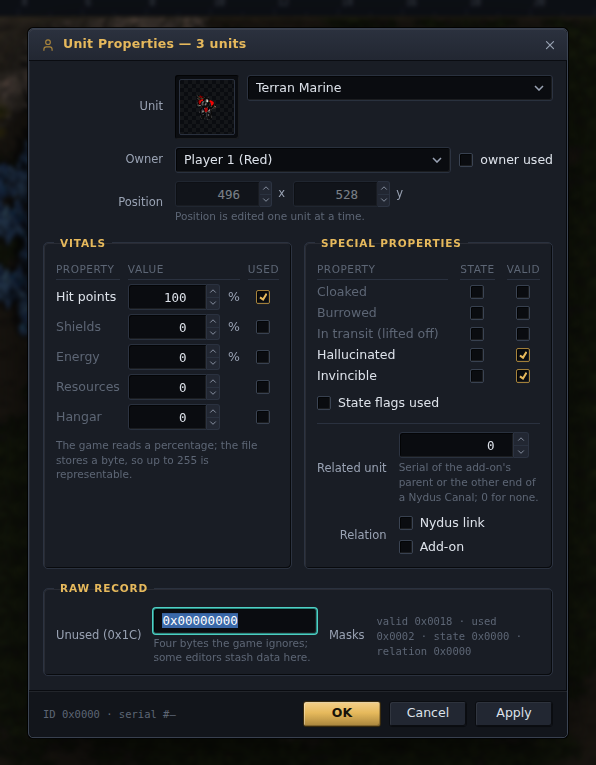
Double-click a unit for every field its record holds: owner, position, hit points, shields, energy, resources and hangar count with their "used" ticks, the special properties (cloaked, burrowed, lifted off, hallucinated, invincible), and the related-unit link an add-on or a Nydus Canal uses. With several units selected, only the fields you touch are written to all of them, so a mineral line can be set to one amount in one go.
Tools ▸ Auto-place Start Locations puts one start location per player on a ring or in the corners, each moved to the nearest ground the placement checks accept, and selects them so you can drag them where you want. For a melee map, the Melee Wizard plugin (Plugins ▸ Browse Plugins…) lays out symmetric start locations with mineral lines and geysers at the distance the game mines fastest from; see Plugins.