
Plugins
Plugins add tools to the editor, and some of what this guide describes is a plugin: Walkability, Paint, Repair, Terrain from Image, TrigScript, Stamp Library, scmjs.dev (the account) and the scmscx.com search are installed and on from the start. One more is installed but starts off: TrigEdit, the Text Trigger Editor, which is for text carried in from SCMDraft rather than for every map. Tick it on in Plugins ▸ Manage Plugins… and Triggers ▸ Text Trigger Editor… appears. Melee Wizard, Section Explorer, Timelapse and Trigger Map are a click away.
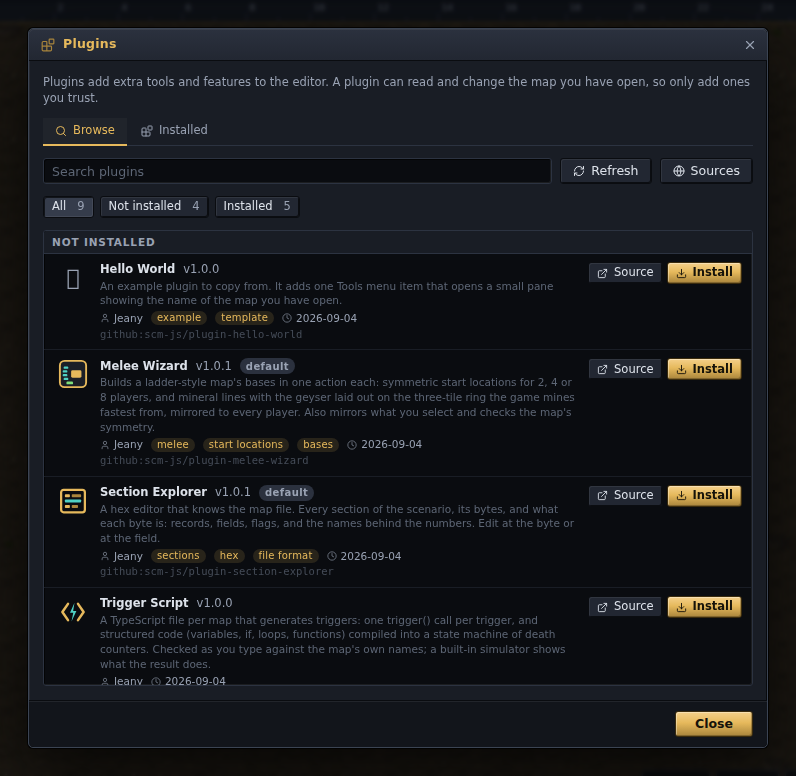
Plugins ▸ Browse Plugins… lists the plugins the project publishes; press Install on one
and it shows where the code comes from before adding it. Plugins ▸ Manage Plugins… lists
what is installed, turns each on or off, and takes the address of any other plugin —
a GitHub repository, a link to its plugin.json, or http://localhost:3000/ while you
write one. A plugin that has settings keeps them on its own page under Edit ▸ Preferences
▸ Plugins. There is no sandbox: a plugin has the same access as the editor itself, so only
add plugins you trust. The Add screen says as much and shows the manifest, the repository
and the addresses it will fetch from.
| Plugin | Where | What it does |
|---|---|---|
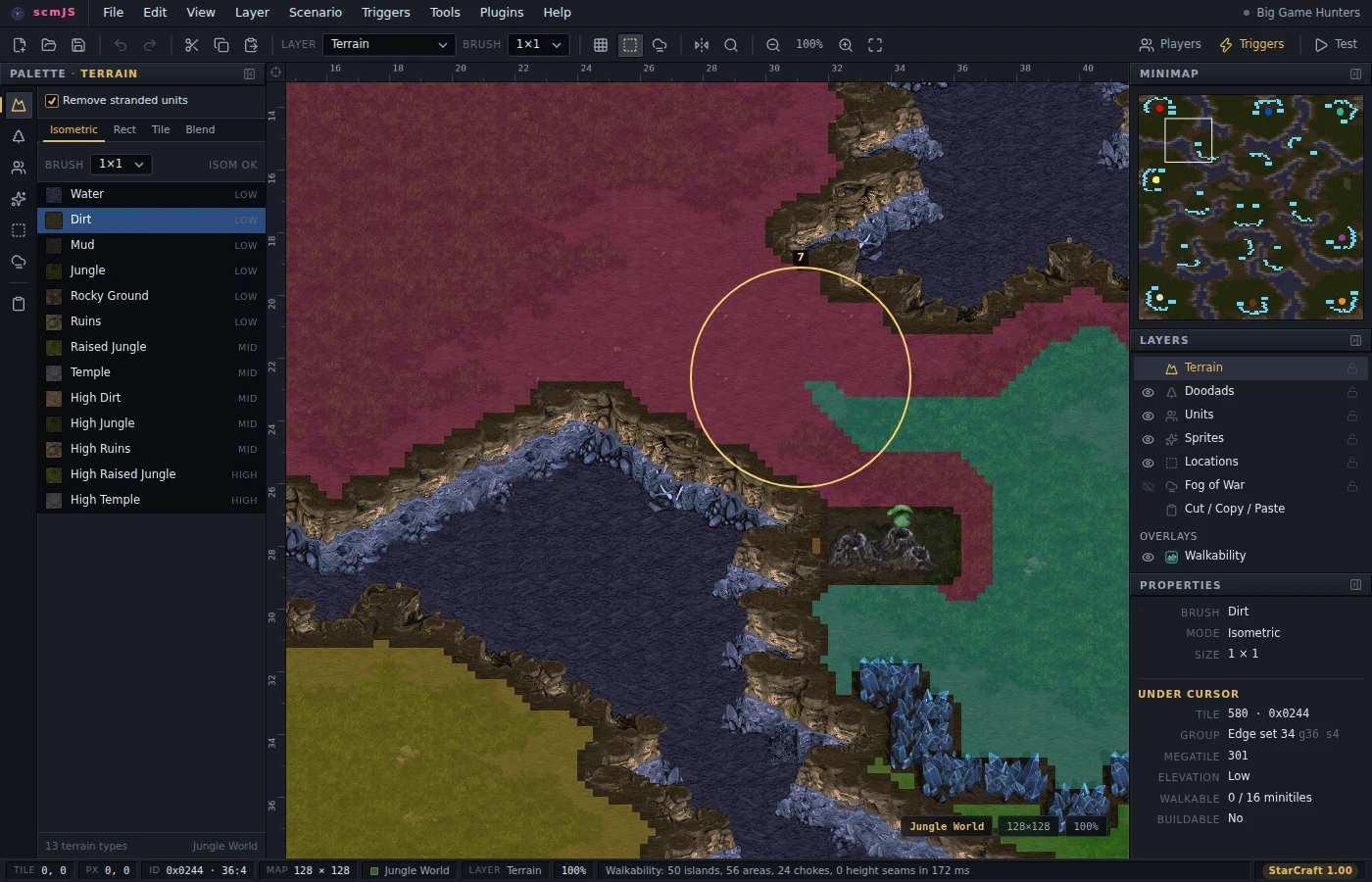
| Walkability | View ▸ Walkability (Ctrl+Shift+W) | Draws the ground as a unit walks it: islands, the areas the map divides into and the chokes between them with their widths, height seams with no ramp, and the distances between start locations. Reads only. |
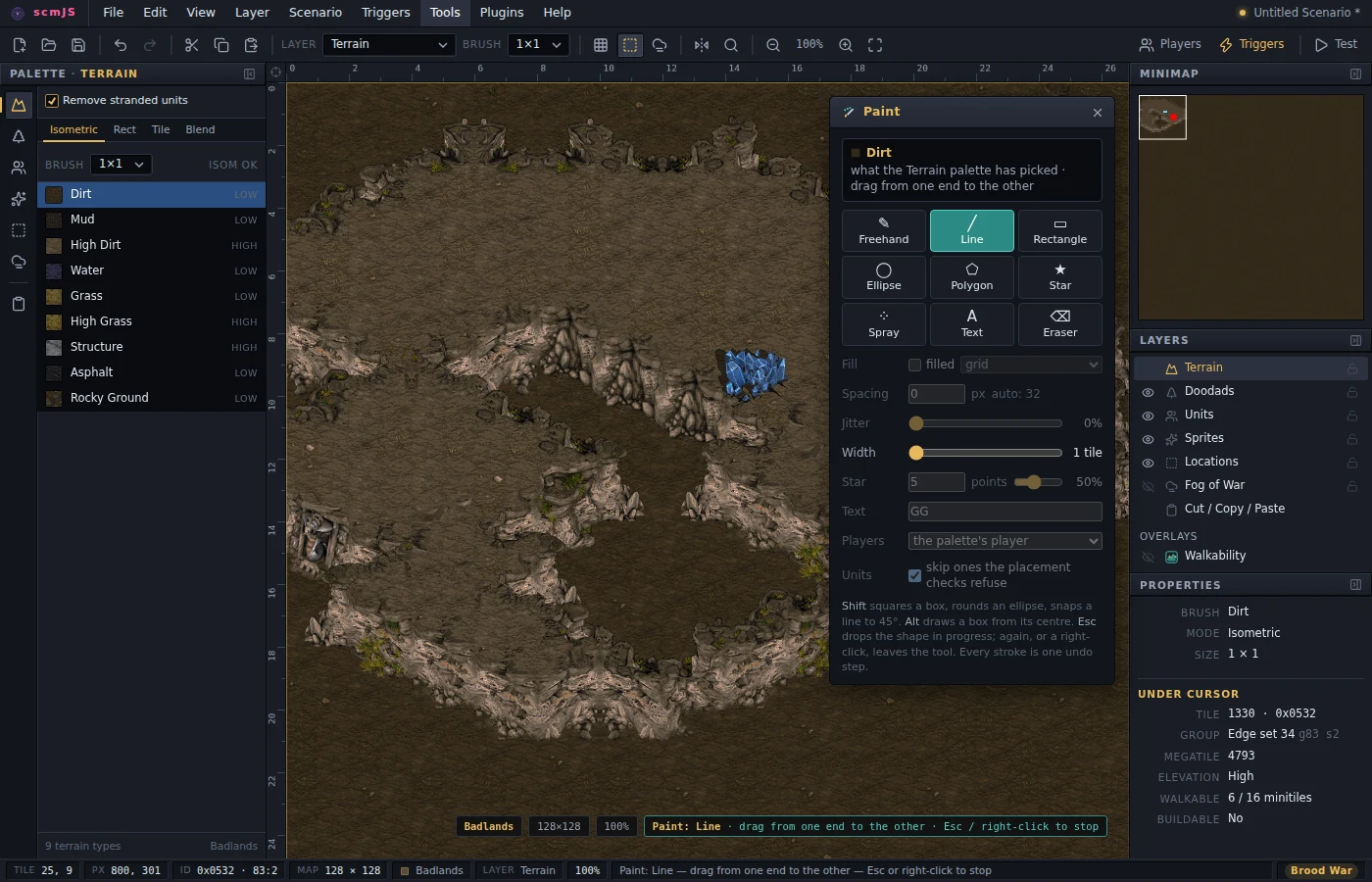
| Paint | Tools ▸ Paint… (Ctrl+Shift+P) | Freehand, lines, shapes, spray and text, laying down whatever the active layer's palette has picked — so it paints units, doodads, sprites, terrain or fog depending on the layer. |
| Repair | on open, Tools ▸ Repair Map… | Reads a map the way the game does and lists what is missing, damaged, repeated or the wrong size, each with the repair and what the game does without it. Rebuilds a stripped isometric record. |
| Terrain from Image | File ▸ Import ▸ Terrain from Image… | Turns a picture into terrain, over the whole map or a rectangle you drag, painted with the isometric brush so cliffs and shorelines are laid at every boundary. |
| scmscx.com | File ▸ Find on scmscx.com… | Searches the map archive at scmscx.com by name, tileset, players and size, shows each map's minimap and details, and opens the one you pick. The site's API sends no cross-origin header, so unless the editor is served from scmscx.com the requests go by way of a small forwarder the plugin comes with; its page in Edit ▸ Preferences ▸ Plugins holds its address and how many minimaps to ask for. A link to editor.scmjs.dev/scmscx/ followed by a map's id on the site opens the editor with the search on that map. |
| Melee Wizard | Tools ▸ Melee Wizard… (Ctrl+Shift+M) | Symmetric start locations, and mineral lines and geysers laid out at the distance the game mines fastest from; presets for main, natural and third; a symmetry check and a resource summary. |
| TrigScript | Triggers ▸ TrigScript… | Triggers as code: TypeScript files kept inside the map and built into a block of the trigger list — ordinary code that runs when you build, and program() bodies that run in the game, built into the saved map by the eudplib plugin (StarCraft: Remastered). See TrigScript. |
| Stamp Library | Tools ▸ Stamp Library… (Ctrl+Shift+L), Edit ▸ Save as Stamp… (Ctrl+Shift+K) | Named pieces — a ramp, a bridge, a cliff corner, a mineral line — saved from the marked area and kept across maps in the browser's storage. Click one and it hangs under the pointer, drawn with the map's graphics, aligned to the isometric lattice it came off; click to lay it down. Search, tags, JSON export and import, and one stamp as a line of text to share. |
| Section Explorer | Tools ▸ Section Explorer… (Ctrl+Shift+H) | The map file as the game reads it: every section, a hex editor over the bytes, and what the byte under the cursor means. |
| Timelapse | View ▸ Timelapse…, the status-bar cell while it records | Records the map as you build it, one frame per change, and plays the recording back with a box around each change. Export it as a GIF or a WebM video. Recordings stay in the browser, and opening the same file again carries on the same recording. |
| Trigger Map | Triggers ▸ Trigger Map…, Show in Trigger Map in the Trigger Editor, right-click a location | The triggers as a graph. Pick a trigger to see what it waits for and which triggers set that, and what it changes and which triggers read it; pick a switch, a death counter, a location or Victory to see who writes it and who reads it. A Findings list names switches nothing sets, counters nothing reads, locations that are not there and triggers that never run. |
| scmjs.dev | Account menu, File ▸ Open from / Save to scmjs.dev…, Tools ▸ AI | Your scmjs.dev account: maps kept on it, links that give anyone a copy of one, a map shared for others to edit with you, and the AI — see Your scmjs.dev account, Editing a map together and The AI above. One tick in its Account dialog turns the AI off and keeps the account. |
Each plugin has its own README with the details. Installing plugins, what they are allowed to do, and writing one are covered in docs/plugins.md. Browse Plugins also lists Hello World, an example plugin with nothing in it but a Tools menu item, kept as the one to copy when writing your own, and the API Playground, a code editor for trying the plugin API on the open map before writing a plugin.