
Doodads
Doodads are the trees, rocks, ruins, ramps and bridges of a map: pieces of terrain that come with their own tiles and, sometimes, a sprite drawn over them. The palette is built from the current tileset's own groups, with StarEdit's categories and placement rules.
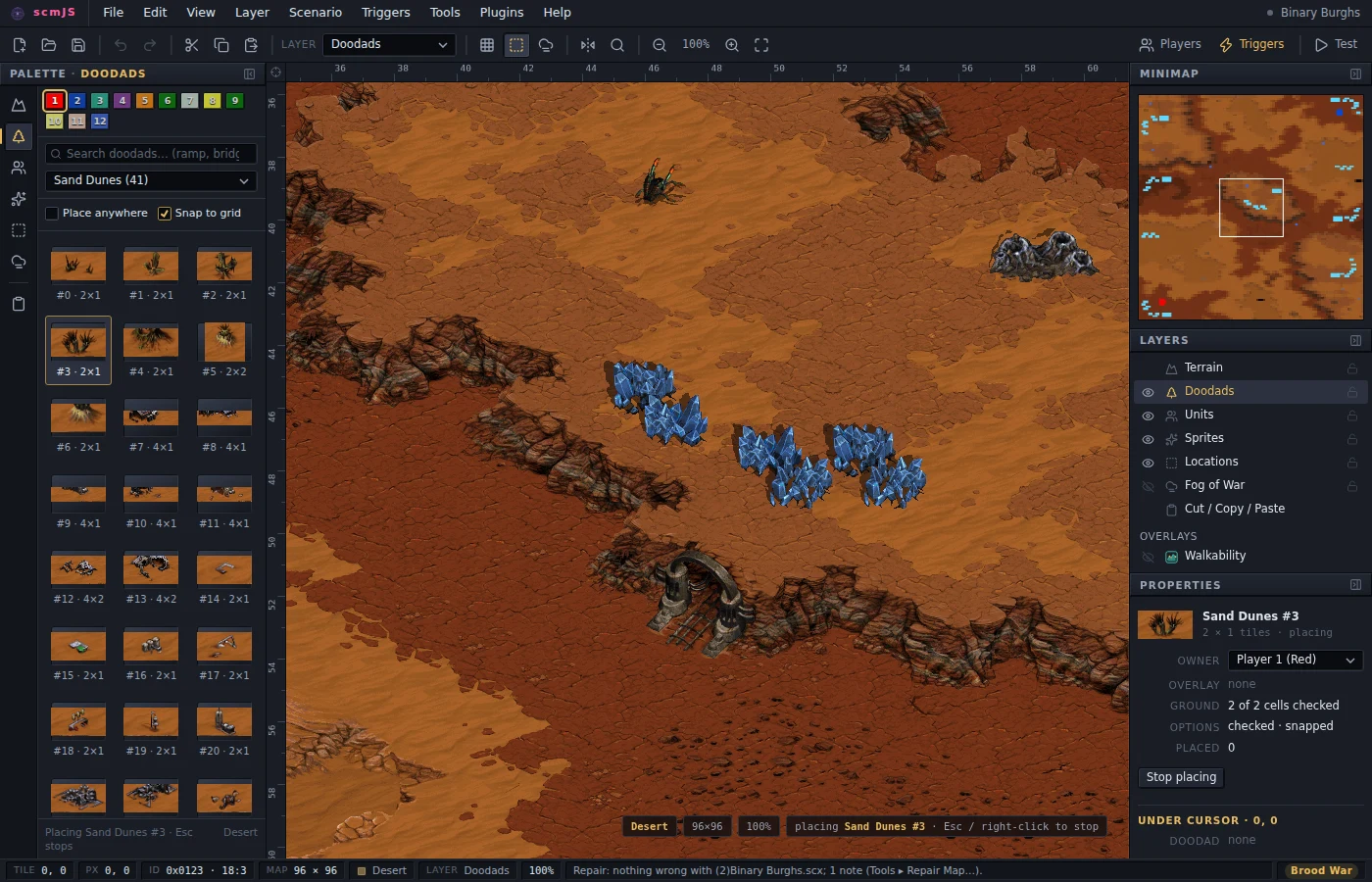
Picking a doodad arms placement, and the ghost turns red where the footprint leaves the map, covers another doodad or sits on the wrong terrain. Place anywhere drops that rule; Snap to grid keeps the footprint on StarEdit's two-tile isometric grid, which it does for a move as well as a placement. Right-click or Esc stops placing.
Doodads have no names in the game data, so the search box matches what the data does
say: the category (bridge, temple, coastal), the id (#12), the footprint
(6×6), the sprite or unit an overlay draws (hdrock, Xel'Naga Temple), and the
word ramp for anything whose tiles carry the ramp bit, which StarEdit files under
cliffs and walls without saying so.
A placed doodad stays whole across the three places a map keeps it — its tiles, its record and any canopy or door overlay — and removing one restores the ground underneath. When you want the tiles without the doodad — a ramp to touch up piece by piece, a cliff edge to paint into — right-click it and choose Convert Doodad to Terrain (the Properties panel has the same button). The tiles stay, the record goes, and an overlay stays on as an ordinary sprite; from then on the Terrain layer treats the cells as ground, so a Terrain-only copy carries them and a later doodad leaving them puts them back. Place as terrain in the palette does the same at placement, for laying out ramps and cliff pieces you mean to work over by hand.