
The graphics
The editor draws terrain and units with graphics out of StarCraft's own archives. Blizzard's data is not redistributable and none of it ships with the editor, so on first use it asks where to get them:
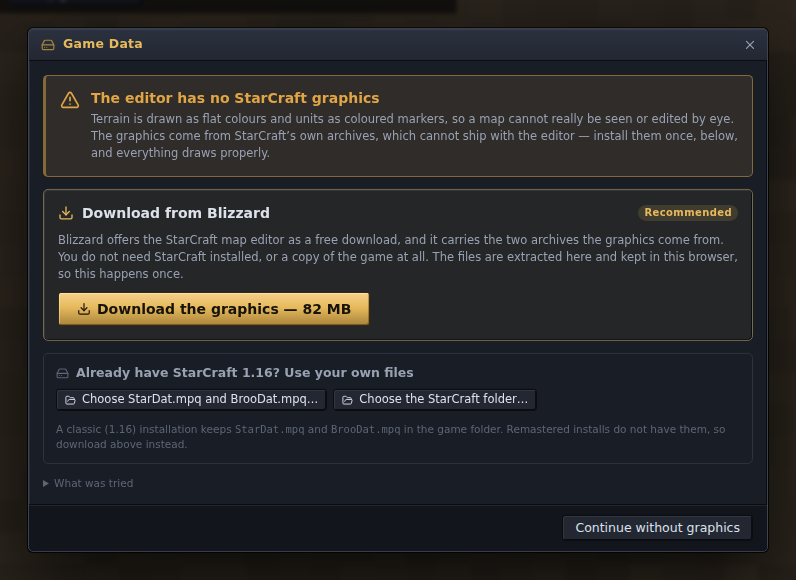
- Download from Blizzard. Blizzard offers the standalone StarCraft map editor as a free download, and that package carries the two archives the graphics come from. No account, nothing to find on your own disk, about 80 MB. Take this route if you have never had the 1.16 game installed.
- Use your own files. Pick
StarDat.mpqandBrooDat.mpq, or the folder holding them, from a classic (1.16) installation. Remastered installations do not carry these archives; use the download above instead.
The extraction runs in the browser and the result is kept for next time; the desktop app looks for an installation on its own first. If the editor was opened from a link (a shared map to join, or a copy of a map), that comes first, and the question about the graphics follows once you have answered it. Help ▸ Game Data… brings the dialog back later, to remove the copy or to install a mod's files beside the game's own as a second data set (see game-data.md).
Without any graphics the editor still runs: terrain is drawn in flat colours and units as coloured markers, and everything else works.