
Triggers
Triggers are what turn a map into a scenario: when these conditions hold for these players, do these actions. In a melee game the map's triggers are ignored and the game applies its own rules, so a melee map needs none (Blizzard's own carry the three standard ones — defeat, victory, starting resources — for anyone who opens them as Use Map Settings); a "Use Map Settings" map is nothing but triggers. Three editors over the same list, and a fourth for mission briefings. The trigger reference has a page for every condition and action.
To see how a map's triggers fit together, the Trigger Map plugin (Plugins ▸ Browse Plugins…) draws them as a graph: which triggers set a switch, a death counter or a location and which ones read it, with a list of switches nothing sets, counters nothing reads and triggers that never run. See Plugins.
The Trigger Editor#
Ctrl+T. The StarEdit form: a player filter on the left, the trigger list in the middle, and for the selected trigger its players, up to 16 conditions and up to 64 actions.
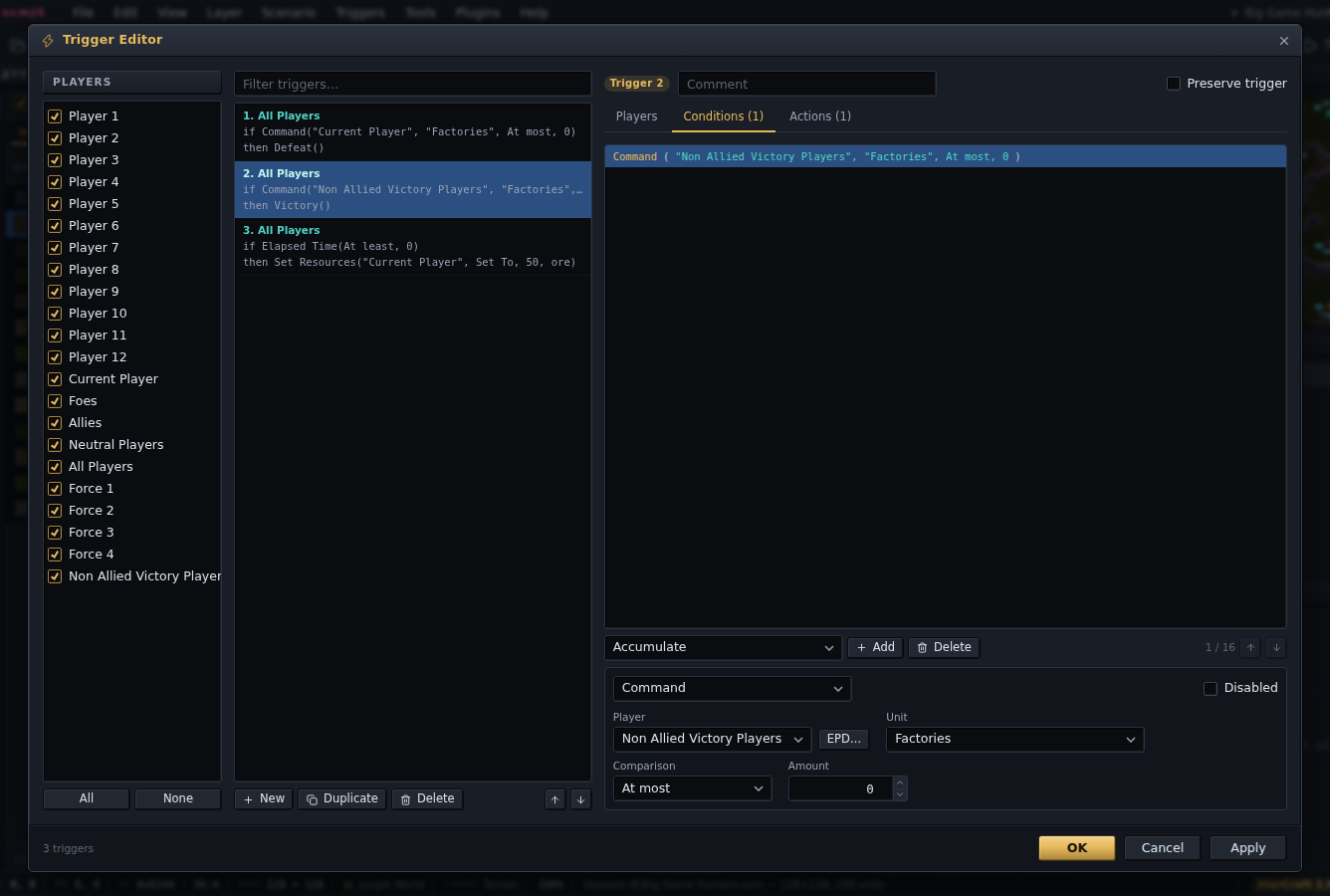
Every condition and action the game has is there, each argument gets a widget of its kind — a player pick, a unit type list, a location list, a number, a text box with the colour codes — and any value the tables do not list stays selectable as a raw number, which is how EUD players and odd unit ids get in. An item can be disabled without deleting it, as in SCMDraft; a disabled one is kept in the file and skipped by the game. Preserve trigger is the flag that keeps a trigger firing more than once.
The Text Trigger Editor#
The same triggers as text, in SCMDraft 2's TrigEdit syntax, so text from SCMDraft pastes in and text from here pastes back out. Compile checks it and reports the first line that does not parse. It is a plugin (TrigEdit), installed but starting off: tick it on in Plugins ▸ Manage Plugins… and Triggers ▸ Text Trigger Editor… and its Ctrl+Shift+T appear. The text format itself stays in the editor, so File ▸ Import / Export Triggers read and write the same text whether the plugin is on or not.
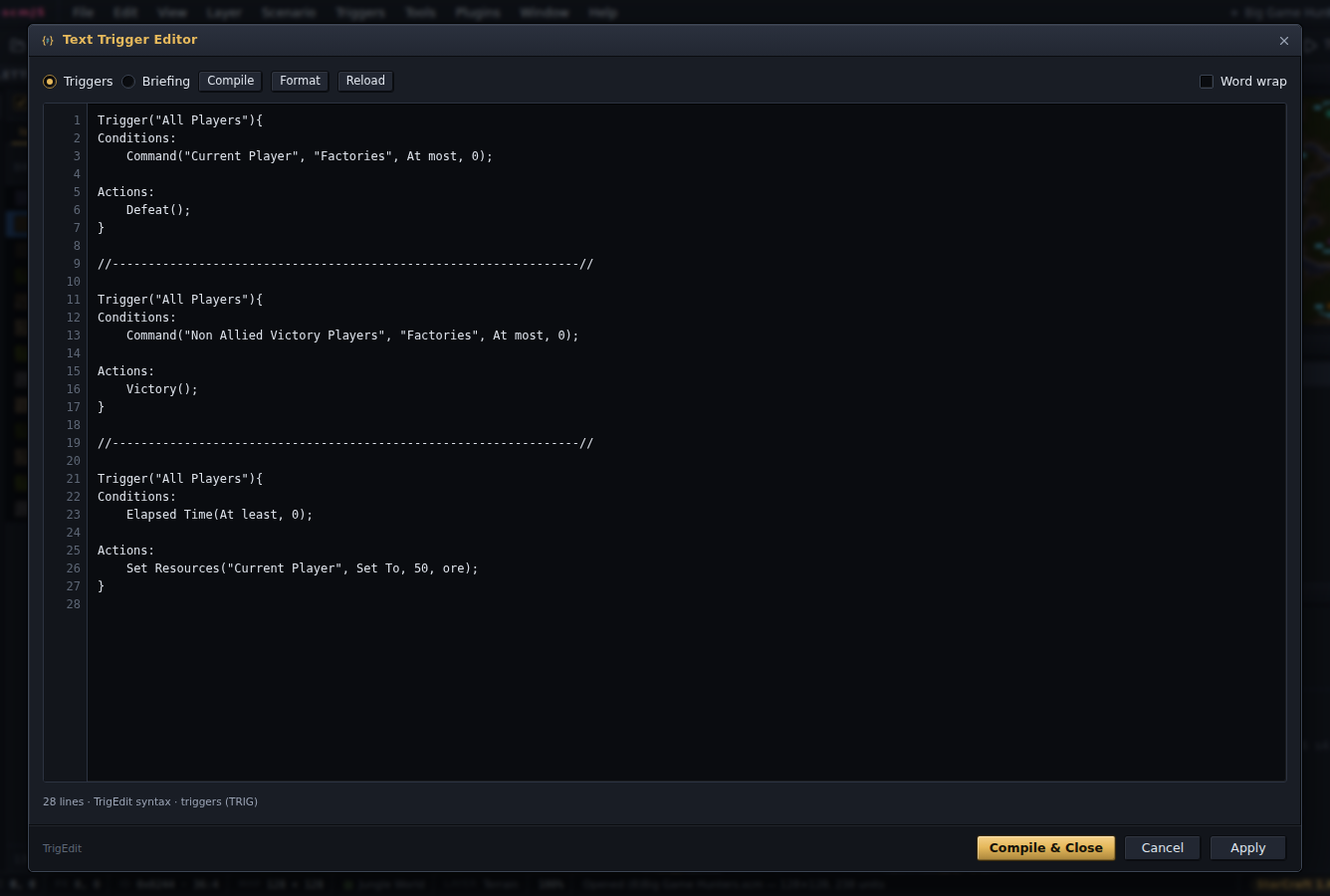
A leading ; disables a line, and a Flags: block carries the trigger flags SCMDraft
has no syntax for. The Briefing switch at the top edits the mission briefing in the
same syntax.
TrigScript#
Triggers ▸ TrigScript… is the third editor: triggers as code. It is a plugin, on from the start, and it has a guide of its own — TypeScript files kept inside the map, turned into a block of ordinary triggers, with loops and helpers to write them, and programs that run in the game for a map made for StarCraft: Remastered.
Mission briefings#
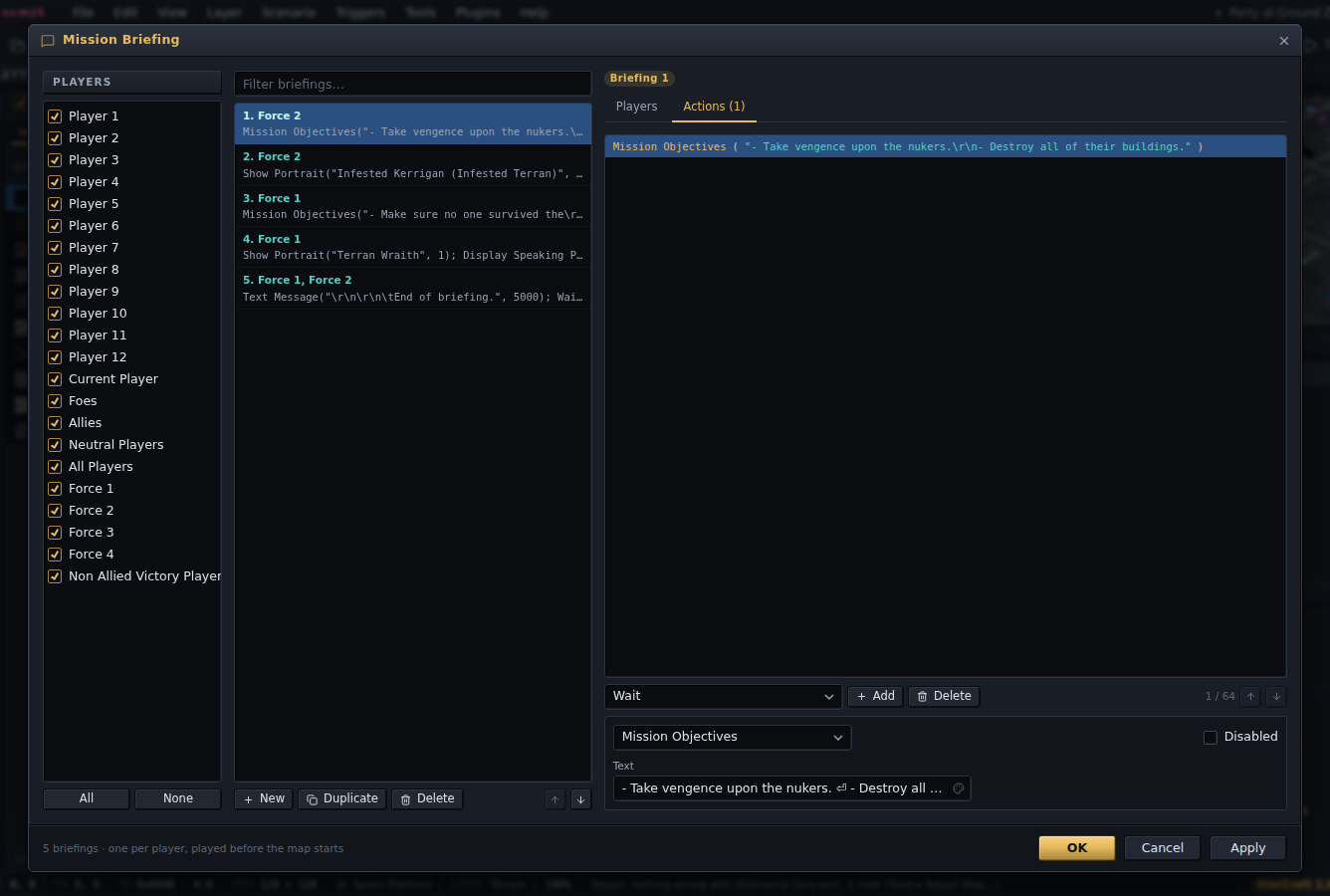
Triggers ▸ Mission Briefing… is the same form over the briefing action set: text, portraits, transmissions and the pauses between them, one briefing per player. The layout is checked against the briefings on Blizzard's own multiplayer maps.
Unit properties slots#
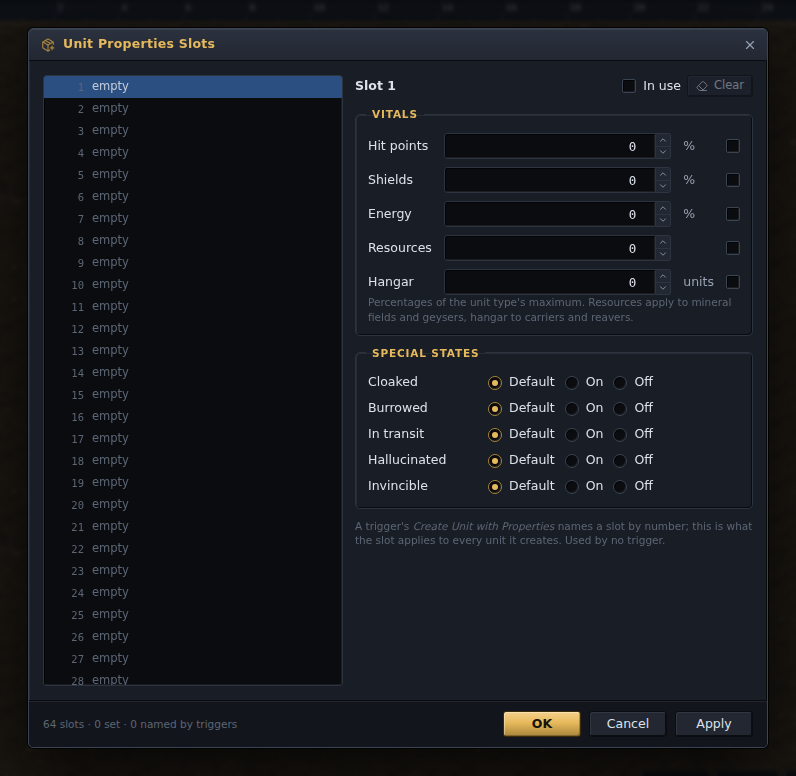
Triggers ▸ Unit Properties Slots… is the table behind the Create Unit with Properties action: 64 slots, each the hit points, shields and energy (as percentages), resources, hangar count and special states a trigger applies to the units it creates. The action's argument lists the slots by what they set and opens this editor on one.
EUD#
For EUD work, the player pick next to a Deaths condition or Set Deaths action has an EPD box: type a memory address and it becomes the player value that reaches it through the deaths table, and a raw value shows which address it reaches. Check Map points out the raw values so they are not mistaken for errors.
File ▸ Import and Export carry triggers as .trg files (SCMDraft's format) or as text,
appending to or replacing the map's list. Triggers ▸ Validate Triggers is Check Map
restricted to them.