
Recipes
Complete snippets for common jobs, each using several parts of the API together. Every
one runs in the playground as written; in a plugin, the same lines go inside
activate(api). The API, group by group explains each call
they use.
A problems panel that follows the map#
Check Map's findings in a docked panel, refreshed after every change. Clicking a row goes to the unit, location or trigger, or opens the settings dialog the problem is in.
const w = api.ui.widgets;

api.ui.panel({
  title: "Problems",
  dock: "right",
  grow: true,
  mount(body) {
    const show = () => {
      const issues = api.query.validate();
      body.replaceChildren(
        issues.length === 0
          ? w.hint("Check Map finds nothing wrong.")
          : w.list(issues.map((issue) => ({ label: issue.text, title: `${issue.level}: ${issue.where}`, value: issue.target })), {
              onPick: (target) => {
                if (!target) return;
                if (target.kind === "dialog") api.ui.open(target.id);
                else api.view.goTo(target);
              },
            }),
      );
    };
    show();
    const subscriptions = [api.events.on("commit", show), api.events.on("document", show)];
    return () => subscriptions.forEach((s) => s.dispose());
  },
});
A heat map of where the units are#
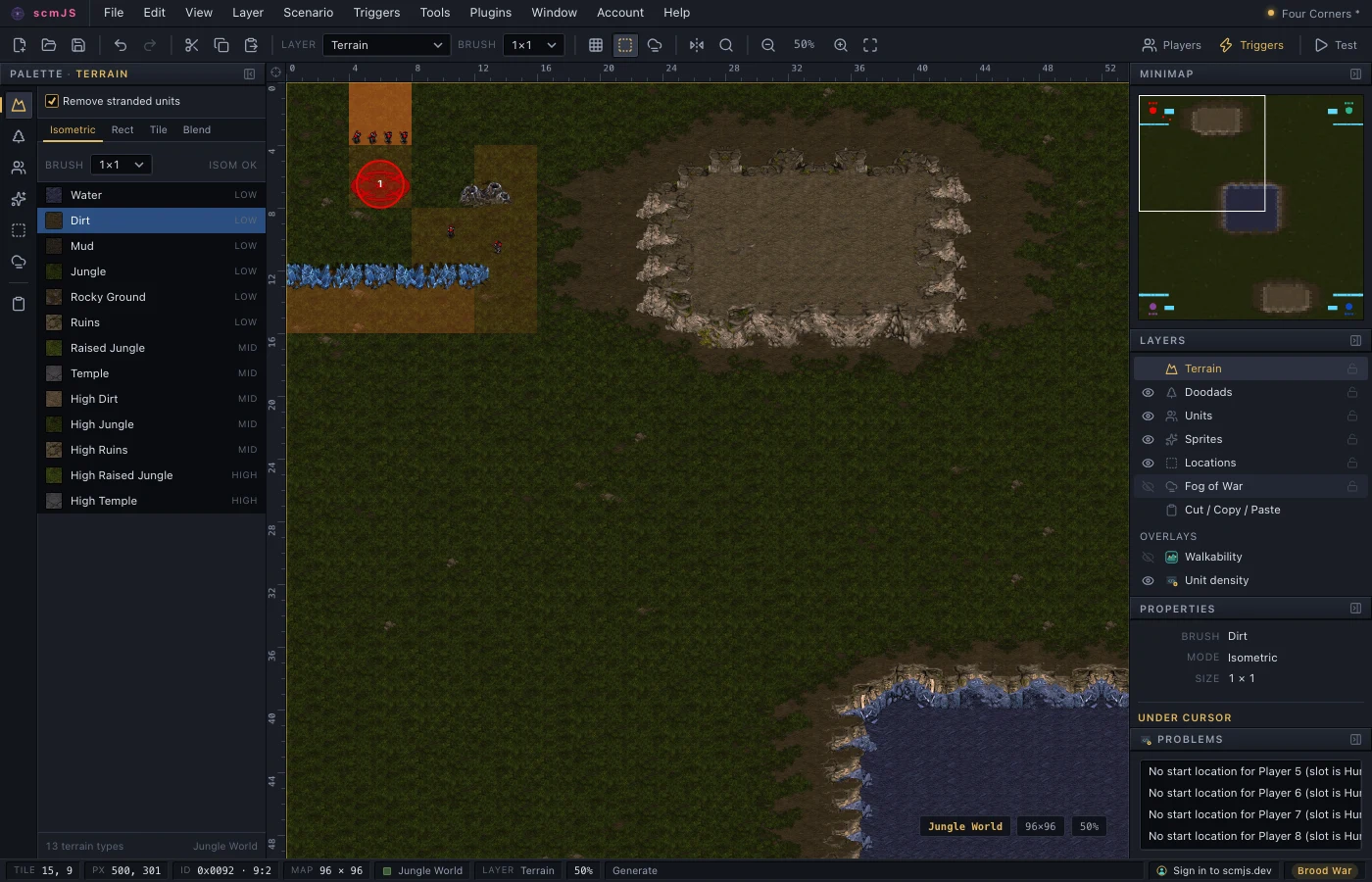
An overlay drawn from the map's own data: units counted in blocks of four tiles, and each
block tinted by how many it holds. The count is redone when the units change, not on
every repaint, because draw runs each time the view moves.
const BLOCK = 4; // tiles
let blocks = new Map<string, number>();

function count() {
  blocks = new Map();
  for (const u of api.document.scenario()?.units ?? []) {
    const key = `${Math.floor(u.x / api.consts.tile / BLOCK)},${Math.floor(u.y / api.consts.tile / BLOCK)}`;
    blocks.set(key, (blocks.get(key) ?? 0) + 1);
  }
}
count();

const overlay = api.ui.overlay({
  name: "Unit density",
  draw(ctx, view) {
    const size = BLOCK * view.tilePx;
    for (const [key, units] of blocks) {
      const [bx, by] = key.split(",").map(Number);
      ctx.fillStyle = `rgba(255, 120, 40, ${Math.min(0.7, units * 0.12)})`;
      ctx.fillRect(view.x(bx * BLOCK * api.consts.tile), view.y(by * BLOCK * api.consts.tile), size, size);
    }
  },
});

for (const event of ["units", "document"] as const) {
  api.events.on(event, () => {
    count();
    overlay.redraw();
  });
}
A brush of your own#
A map tool that paints the Terrain palette's current terrain while the button is held, and commits the whole drag as one undo entry when it is released. Collecting during the drag and writing once on release is what makes one stroke one Ctrl+Z.
await api.tileset.load();
const stroke = new Map<string, { d: { x: number; y: number }; px: number; py: number }>();

function add(px: number, py: number) {
  const d = api.terrain.diamondAt(px, py);
  if (api.terrain.isDiamond(d)) stroke.set(`${d.x},${d.y}`, { d, px, py });
  tool.redraw();
}

const tool = api.ui.mapTool({
  name: "Terrain pencil",
  hint: "drag to paint, Esc to stop",
  onDown(p) { add(p.px, p.py); },
  onMove(p) { if (p.down) add(p.px, p.py); },
  onUp() {
    const terrain = api.terrain.active().terrain; // whatever the Terrain palette has picked
    const diamonds = [...stroke.values()].map((s) => s.d);
    stroke.clear();
    api.document.edit("Terrain pencil", (tx) => { for (const d of diamonds) tx.paintIsom(d, terrain); });
  },
  draw(ctx, view) {
    ctx.fillStyle = "#ffd24a";
    for (const { px, py } of stroke.values()) ctx.fillRect(view.x(px) - 3, view.y(py) - 3, 6, 6);
  },
});
Copies of the selection under the symmetry setting#
Place a copy of every selected unit at each of its mirror positions, following whatever Tools ▸ Symmetry is set to, with the Units palette's placement checks.
const scn = api.document.scenario();
const selected = api.selection.units();

if (!scn || selected.length === 0) {
  api.ui.status("Select some units first.");
} else if (api.terrain.symmetry() === "none") {
  api.ui.status("Turn on Tools ▸ Symmetry first.");
} else {
  const originals = selected.map((index) => scn.units[index]);
  const result = api.document.edit("Mirror units", (tx) => {
    for (const u of originals) {
      // The first point is the unit's own position; the rest are its images.
      for (const p of tx.mirrorPoint(u.x, u.y).slice(1)) {
        if (tx.canPlaceUnit(u.unitId, p.x, p.y)) tx.placeUnit(u.unitId, u.owner, p.x, p.y);
      }
    }
  });
  api.ui.status(`${result.units} units placed`);
}
Triggers generated from a table#
Attack waves written as data and turned into triggers through the text format. The triggers name a location, so the snippet adds it first if the map does not have one.
const waves = [
  { after: 60, unit: "Zerg Zergling", count: 8 },
  { after: 180, unit: "Zerg Hydralisk", count: 6 },
  { after: 300, unit: "Zerg Ultralisk", count: 2 },
];

if (api.triggers.names().locationByName("Spawn") === undefined) {
  const t = api.consts.tile;
  api.document.edit("Add the Spawn location", (tx) => {
    tx.addLocation({ left: 2 * t, top: 2 * t, right: 6 * t, bottom: 6 * t }, "Spawn");
  });
}

const source = waves.map((wave) => `
Trigger("Player 8"){
Conditions:
  Elapsed Time(At least, ${wave.after});
Actions:
  Create Unit("Player 8", "${wave.unit}", ${wave.count}, "Spawn");
}`).join("\n");

try {
  let added = 0;
  api.document.update("Add the waves", (tx) => { added = tx.triggers.fromText(source); });
  api.ui.status(`${added} triggers added`);
} catch (error) {
  api.ui.status(String(error)); // a parse error names the line
}
A plugin that regenerates its triggers should also claim them, so the Trigger Editor shows them as generated and the user does not edit them by hand.
Notes kept inside the map#
A text box whose contents are stored as a file in the map archive, so they travel with the map and are written on the next Save. The write is delayed until typing pauses.
const FILE = "my-plugin\\notes.txt";

function read() {
  const bytes = api.document.extras.get(FILE);
  return bytes ? new TextDecoder().decode(bytes) : "";
}

api.ui.panel({
  title: "Map notes",
  width: 320,
  mount(body) {
    const area = api.ui.el("textarea", { rows: 10, style: { width: "100%" }, value: read() });
    let timer = 0;
    area.addEventListener("input", () => {
      clearTimeout(timer);
      timer = window.setTimeout(() => {
        if (api.document.isOpen()) api.document.extras.set(FILE, new TextEncoder().encode(area.value));
      }, 400);
    });
    // Another map opened, or came to the front: show its notes.
    const subscription = api.events.on("document", () => { area.value = read(); });
    body.append(area, api.ui.widgets.hint("Stored in the map file on the next Save."));
    return () => {
      clearTimeout(timer);
      subscription.dispose();
    };
  },
});
Units out to a spreadsheet and back#
Export every unit as a CSV file:
const scn = api.document.scenario();
if (scn) {
  const rows = scn.units.map((u) => [u.unitId, api.names.unit(u.unitId), u.owner + 1, u.x, u.y].join(","));
  const csv = ["id,name,player,x,y", ...rows].join("\n");
  await api.ui.saveFile(new Blob([csv], { type: "text/csv" }), "units.csv");
}
And place units from one, as a single undo entry. A row with anything that is not a number where a number belongs is skipped:
const [file] = await api.ui.pickFiles({ accept: ".csv" });
if (file) {
  const rows = (await file.text()).split("\n").slice(1).map((line) => line.split(","));
  const result = api.document.edit("Import units", (tx) => {
    for (const [id, , player, x, y] of rows) {
      const values = [id, player, x, y].map(Number);
      if (values.every(Number.isFinite)) tx.placeUnit(values[0], values[1] - 1, values[2], values[3]);
    }
  });
  api.ui.status(`${result.units} units placed`);
}
Find and replace in every string#
document.update has no undo entry, so the snippet keeps the table as it was and puts an
Undo replace cell in the status bar that restores it.
const find = await api.ui.prompt("Find in every string");
const replacement = find ? await api.ui.prompt(`Replace "${find}" with`) : null;

if (find && replacement !== null) {
  const before = api.query.strings();
  const hits = before.flatMap((text, index) => (text?.includes(find) ? [index] : []));
  if (hits.length === 0) {
    api.ui.status("Not found.");
  } else if (await api.ui.confirm(`Replace in ${hits.length} strings?`, { confirmLabel: "Replace" })) {
    api.document.update("Replace in strings", (tx) => {
      for (const index of hits) tx.strings.set(index, (before[index] ?? "").split(find).join(replacement));
    });
    const undo = api.ui.statusItem({
      text: "Undo replace",
      onClick: () => {
        api.document.update("Undo replace", (tx) => tx.strings.apply(before));
        undo.remove();
      },
    });
  }
}