
Scenario settings
The Scenario menu holds the map's own tables. Each dialog is its own OK / Apply / Cancel transaction; none of it is in the undo history.
Map Properties, Players, Forces, Colours#
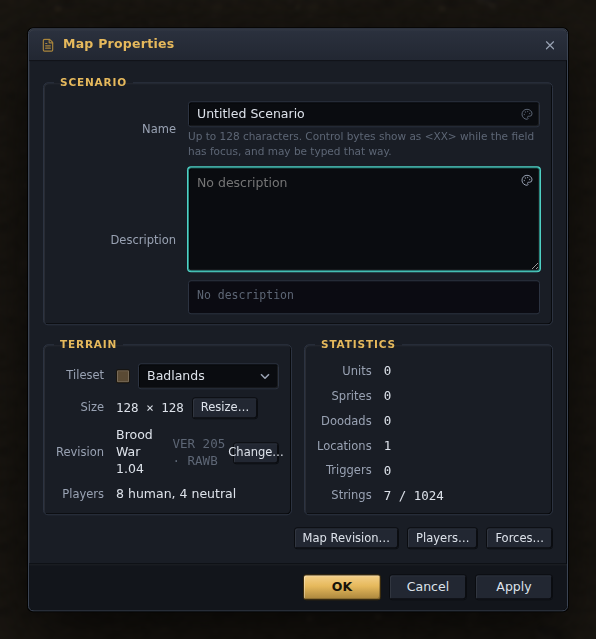
Map Properties (Alt+Enter) is the name and description the lobby shows, the tileset, the size and the revision, with buttons to the rest. Changing the tileset lays the terrain again with a terrain you pick — tile numbers mean something else in every tileset — and drops the doodads with it, while units, sprites, locations, fog and triggers stay; or keep the tile numbers, as SCMDraft does, to see what they draw. Resize / Crop grows or trims the map about a corner or the centre. Both clear the undo history.
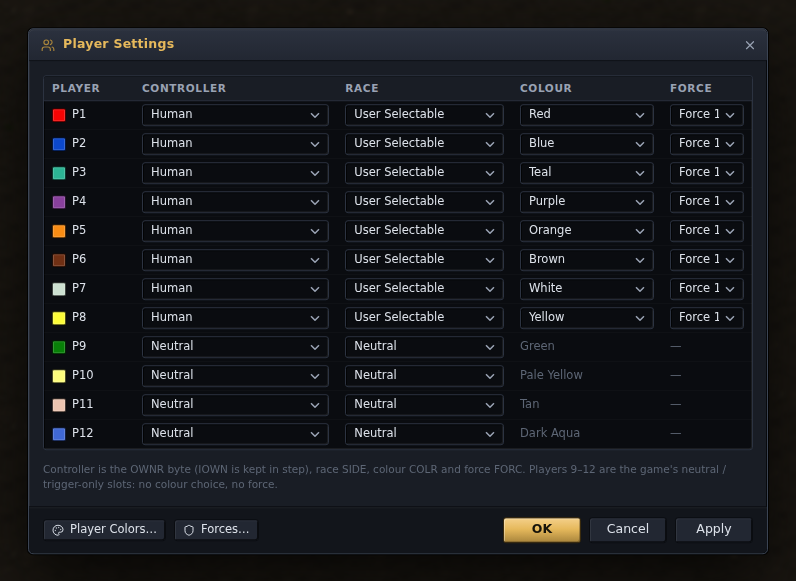
Player Settings is each slot's controller (Human, Computer, Rescuable, Neutral…), race, colour and force.
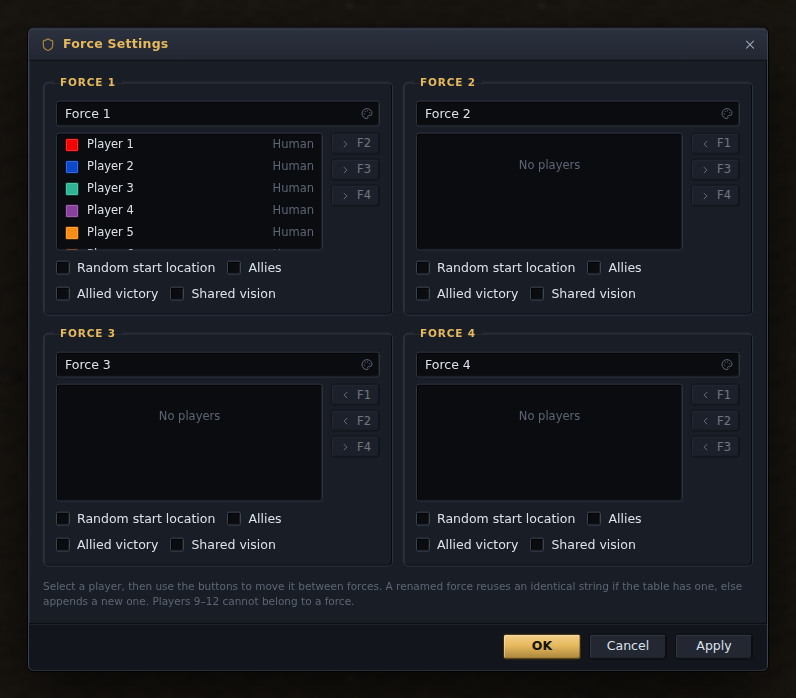
Force Settings groups the players into up to four teams and sets, per team, allied victory, shared vision, allies and random start locations.
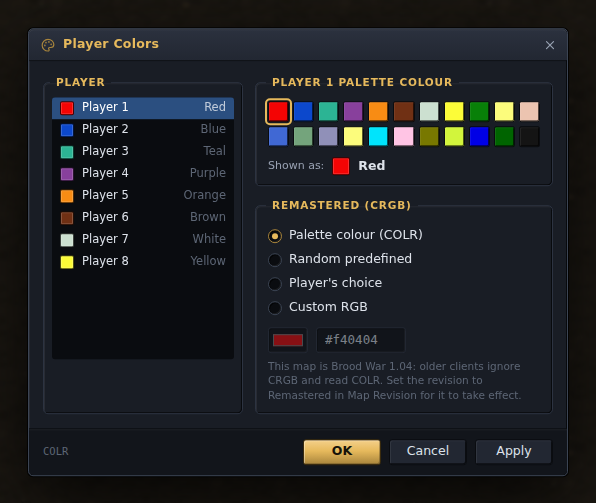
Player Colors picks each slot's palette colour and, for a Remastered map, a custom RGB, random, or the player's own choice; the map repaints as you change them.
Units, upgrades and technology#
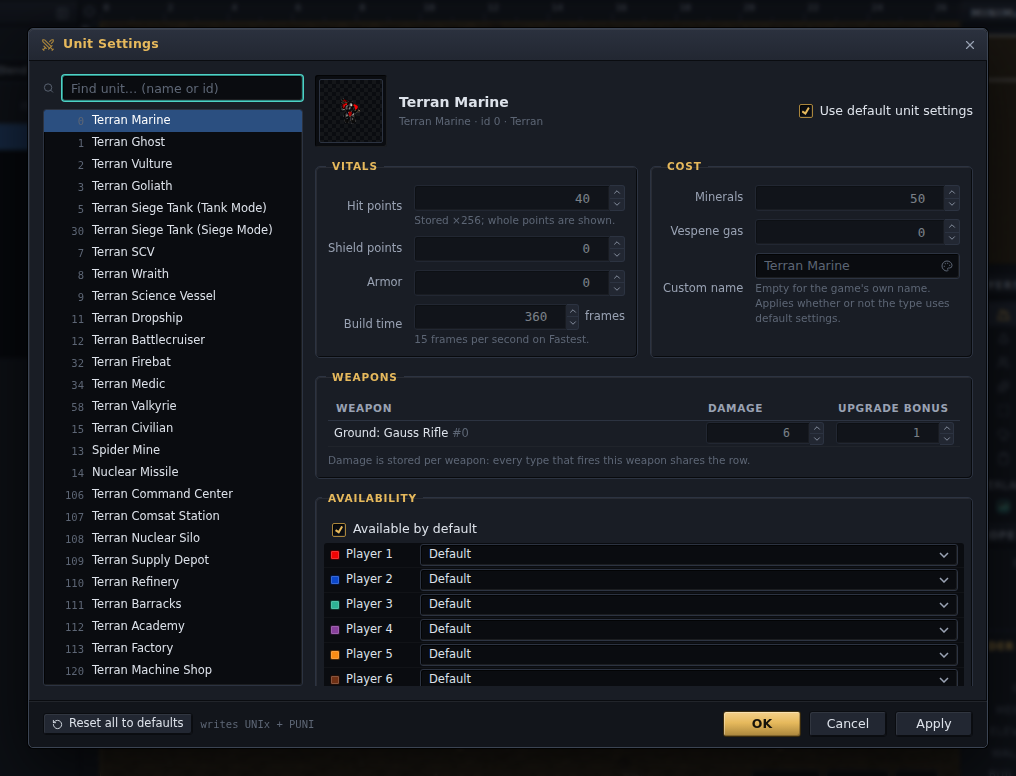
Unit Settings, Upgrade Settings and Technology Settings edit the cost and availability tables: a unit's hit points, armour, build time, cost and weapon damage, a custom name, and which players may build it; an upgrade's cost and levels; a technology's cost and whether each player starts with it or may research it. A row on use default shows the greyed-out numbers from the game's own data files and seeds itself from them when you untick it.
Strings#
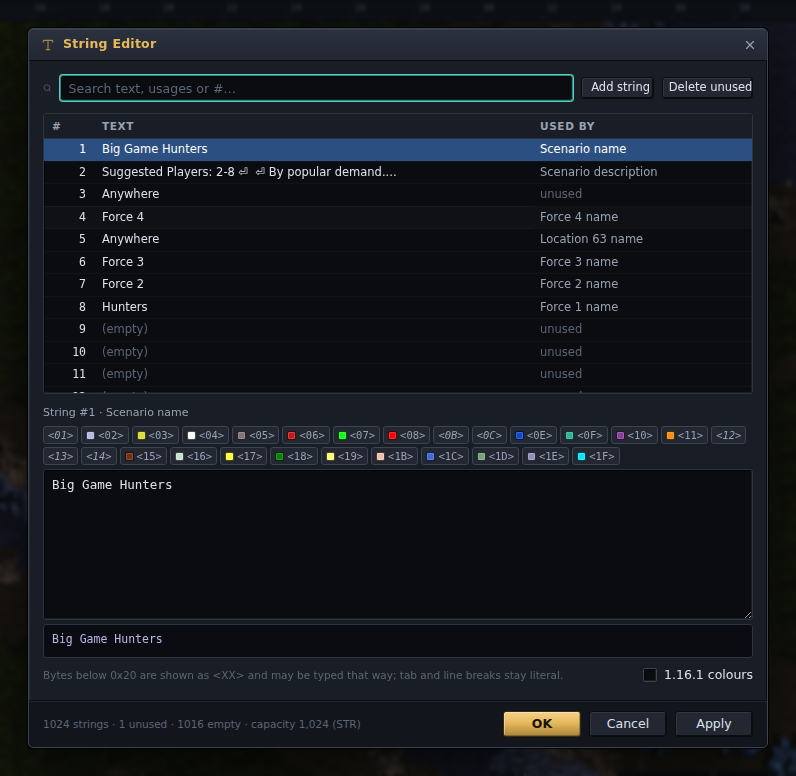
Every piece of text a map carries — its name, the force names, location names, every trigger message — is a numbered string, and the String Editor lists them all with where each is used. Edits keep their number, so triggers and locations keep pointing where they did; Delete unused clears out what nothing refers to.
The row of buttons inserts the game's colour codes, each drawn in the colour it produces, and the preview under the box shows the string the way the game draws it. The same codes work in every field whose text the game draws: the map name and description, force names, custom unit names, and the text of a trigger or briefing action — each of those fields shows the string as the game draws it until you click into it, and has a palette button at its right-hand end.
The previews follow Remastered's rule, where a colour set on one line carries onto the next. StarCraft 1.16.1 reset the colour at every line break, so a string written before the remaster can draw in colours its author never chose; the 1.16.1 colours tick (also in Preferences ▸ View) switches every preview to the old rendering, and the Repair plugin offers to write the reset the old game used to supply.
A map file does not say what encoding its text is in. StarEdit wrote whatever code page
Windows was using — EUC-KR on a Korean machine, Shift_JIS on a Japanese one,
Windows-1252 nearly everywhere else — and 1.16.1 still reads the file that way;
Remastered writes UTF-8 and, reading, tries UTF-8 first and then the code page of the
machine it is running on. The editor guesses the encoding from the file's bytes when a
map opens and shows the guess in Scenario ▸ Map Revision, where it can be corrected:
Korean text that opened as garbage is a wrong guess, and choosing Korean there fixes
every string at once. The same choice decides how the text is written on save, so a map
made for 1.16.1 on a Korean Windows stays readable there; a new map is UTF-8, and moving
a map to Remastered's STRx table makes it UTF-8 too. A character the chosen encoding
cannot hold is written as ?, and Check Map and the Save dialog both say so beforehand.
Sounds and switches#
The Sound Editor joins the map's sound table with the .wav files in the archive:
import, play, remove, and adopt files the archive carries but the table does not list.
Import takes any file the browser can decode (MP3, FLAC, AAC, Ogg, WAV in any encoding)
and writes it as PCM WAV in the format picked next to the button; the default, 22050 Hz
16-bit mono, is what the game's own sounds are, and the smaller presets are for maps
chasing the size limit. A Play WAV action then names the file.
Switches names the 256 switches triggers set and test, so the trigger editors show "Gate open" rather than "Switch 3".