
Cut, copy and paste
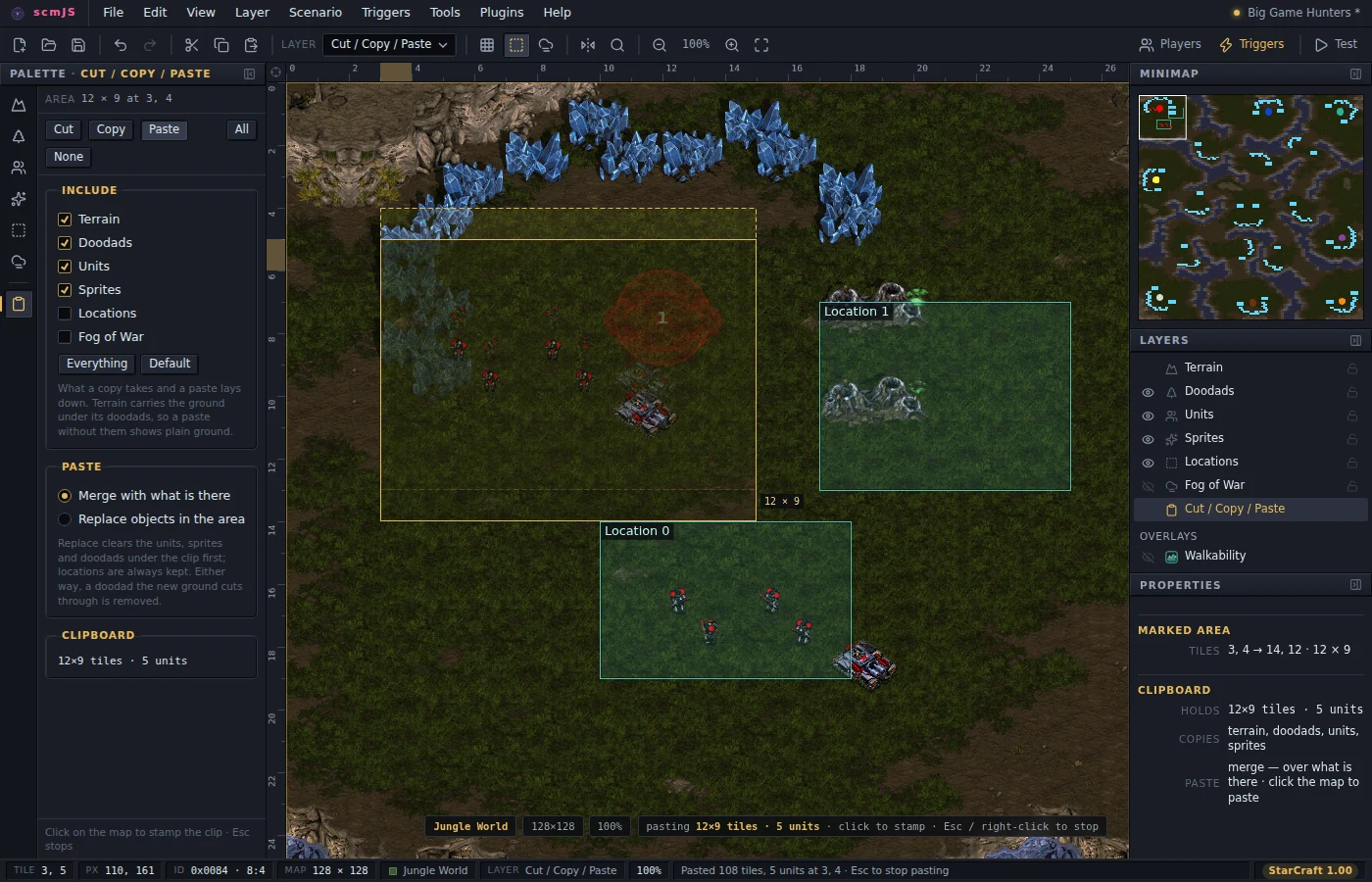
To copy part of a map, drag on it with the Cut / Copy / Paste layer active (C) to mark a rectangle, then
Ctrl+C or Ctrl+X. On the object layers the same keys act on the selection instead, and
the clip is the selection's bounding box carrying just those objects, so a base can be
copied from either side.
A piece worth keeping past this map — a ramp, a bridge, a cliff corner — can be saved as a stamp (Edit ▸ Save as Stamp…, or the right-click menu on the marked area) and laid down on any later map from the Stamps panel; see Plugins.
Include says both what a copy takes and what a paste lays down: terrain, doodads, units, sprites, locations, fog. Terrain carries the ground under the doodads too, so a paste without doodads shows plain ground rather than half a tree. Doodads are re-stamped with their overlays, units get fresh serials with add-on and Nydus links kept when both ends came along, and locations take free slots, which is the one thing a paste can run out of.
Ctrl+V arms the pointer with a ghost of the clip. A click stamps it and stays armed for the next; Esc or right-click stops. Merge adds to what is there; Replace clears the units, sprites and doodads under the clip first, though never locations. Terrain from a different tileset is refused, since tile numbers mean something else there, while the objects still paste. The clip survives File ▸ Open, which is how a base moves between maps.