
Editing a map together
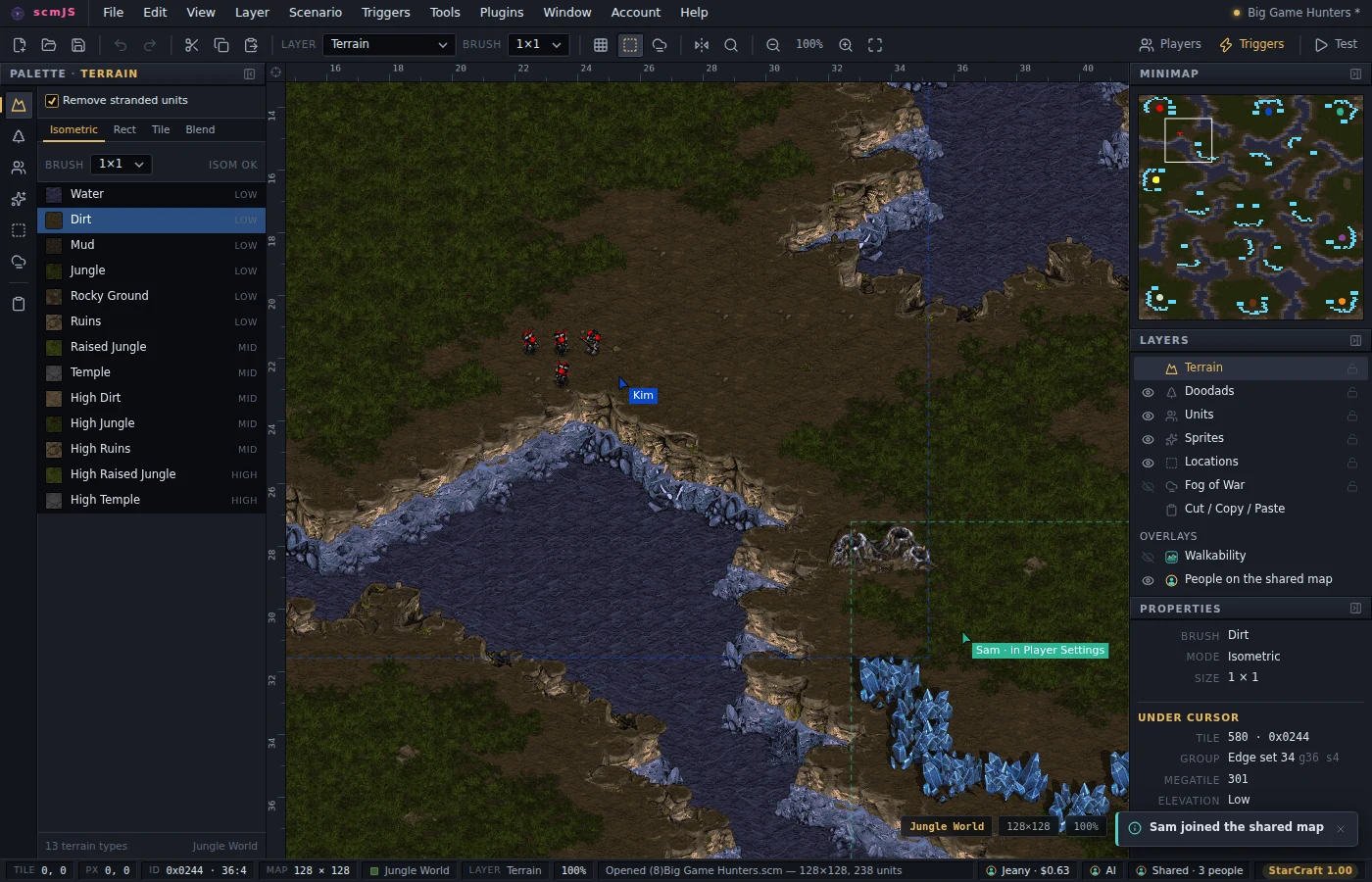
Several people can work on one map at the same time, each in their own editor. One of them shares the map they have open and sends the others a link; whoever opens it gets the map in their editor, and from then on every change anyone makes shows up for everyone: terrain, doodads, units, sprites, locations, fog, the settings dialogs, triggers, strings and sounds. Each person also sees the others' pointers on the map with their names, a dashed box in their colour around what each of them has on screen, and which dialog they are in.
Sharing goes through scmjs.dev: the person who shares needs a signed-in account, and the people joining need only the link.
Sharing a map#
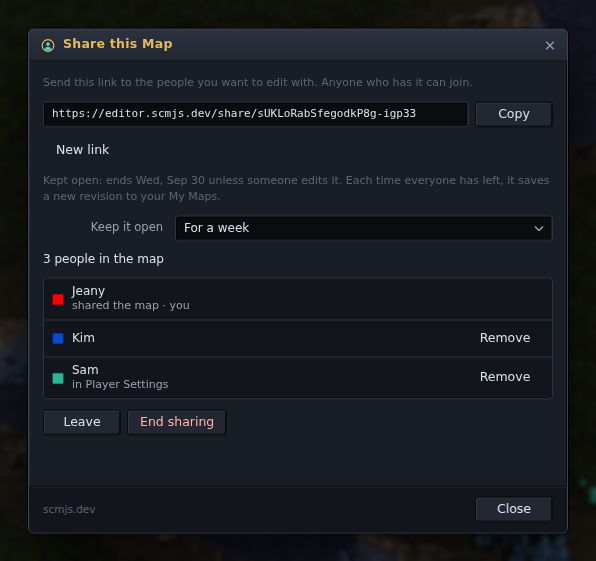
Account ▸ Share this Map… asks for a name for the map (its own name to start with) and how long to keep it open, and copies it to scmjs.dev when you press Start sharing. The dialog then shows the link: Copy puts it on the clipboard for you to send. A cell appears in the status bar — Shared · 3 people — and clicking it opens the dialog again. Pasted into Discord, Slack or a forum, the link shows a card with the map's name, who shared it and, for a map kept open, its picture.
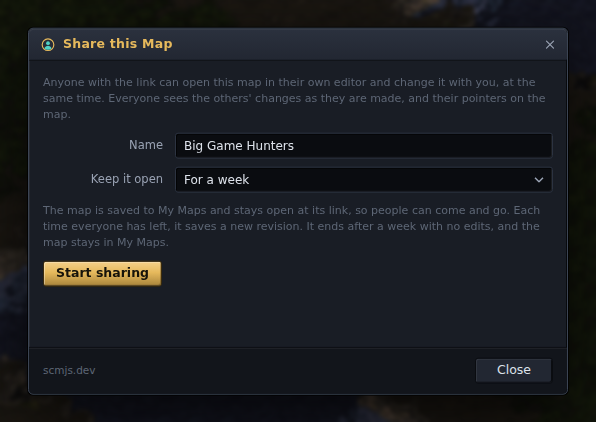
Keep it open decides what happens when people leave:
- Until everyone leaves (the choice to start with) shares the map only while people are in it. Nothing is stored: sharing ends when you stop it, half an hour after the last person leaves, or when the server restarts.
- For a day, for a week or for a month saves the map to My Maps and keeps it open at its link, so people can come and go as they like, on different days if they want. Each time everyone has left, the map is saved as a new revision with a note naming who changed it (Edited together: Kim, Sam), and the next person to open the link carries on from there. The time counts from the last edit, so a map people are working on stays open, and one nobody has touched for that long ends. The dialog shows the date: ends 3 Oct unless someone edits it.
- Until I end it keeps it open with no time limit. It still ends after a year with no edits.
When a map kept open ends, only the sharing ends: the map and its revisions stay in My Maps. If the map in front came from My Maps, sharing it adds a revision to that map rather than making a second one.
The dialog lists who is in, in the colour their pointer is drawn in, and what each of them has open. The link is the key: anyone who has it can join and edit, so send it only to people you want in the map. Only you, as the person who shared it, see the link and the controls:
- Remove sends one person out of the map. They keep what they had.
- New link makes the old link stop working without sending anyone out, for when the link went further than you meant.
- Stop sharing (End sharing on a map kept open) ends it for everyone. On a map kept open, Leave takes only you out and leaves it open for the others; you can change how long it stays open here too.
Up to eight people can be in one map, and an account can share five maps at a time, counting both kinds. A map shared from the desktop app gets a link to the web editor, since that is what anyone can open.
Your shared maps#
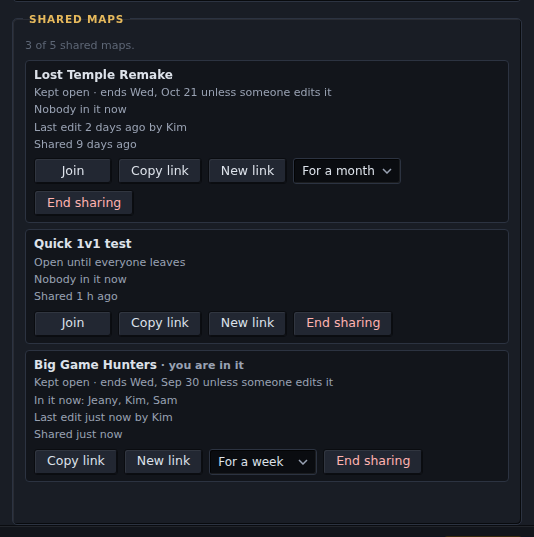
The Shared maps part of Account ▸ Account… lists every map you are sharing: who is in it now, the last edit and who made it, and when it ends. Each has Join, Copy link, New link, how long to keep it open, and End sharing. When you are already sharing five, Share this Map… shows the same list so you can end one first.
A map kept open also has Embed… in that list and in the Share dialog. Its picture can open a copy of the map (the choice it starts with: a link to the newest revision is made for it) or the shared map itself. The second lets anyone who sees the picture join and edit, and the dialog says so; New link is the way back if it went further than you meant.
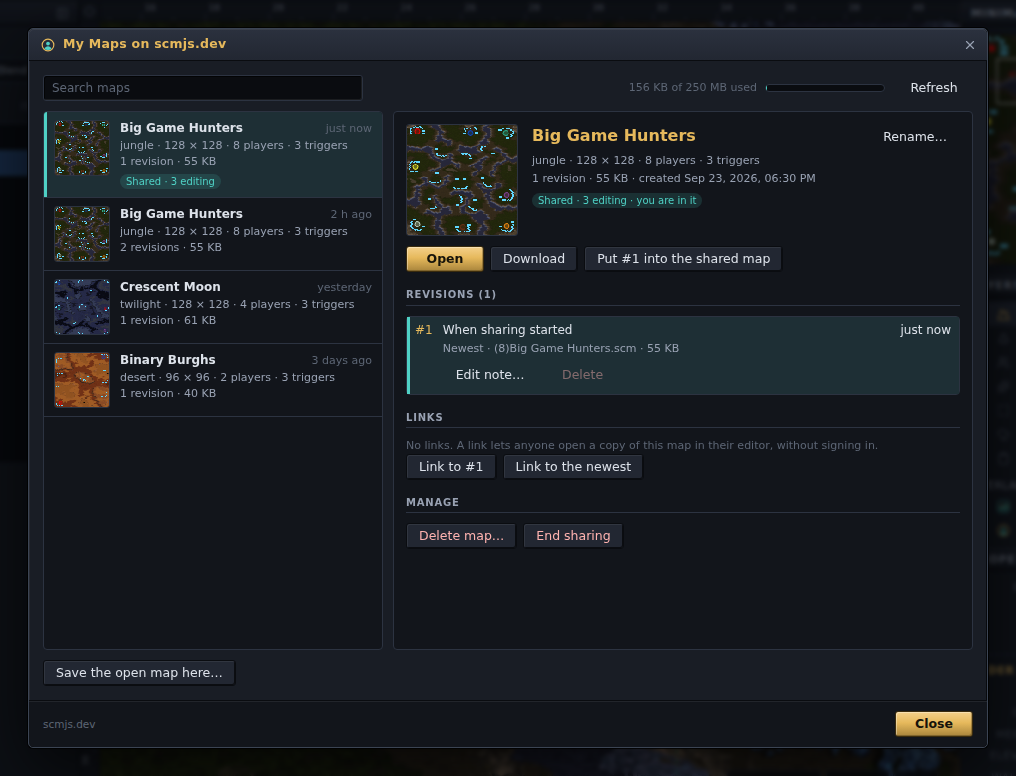
In My Maps a map kept open says so (Shared · 2 editing, or when it ends), and Join opens it with whoever is there; Open still gives you a revision on its own. While you are in one of your maps kept open, a revision of it has Put #N into the shared map, which replaces the map for everyone with that revision: the way back if someone spoiled it. Everyone's undo history starts again, as after a resize, and the map as it was is not kept unless you saved it first.
Joining#
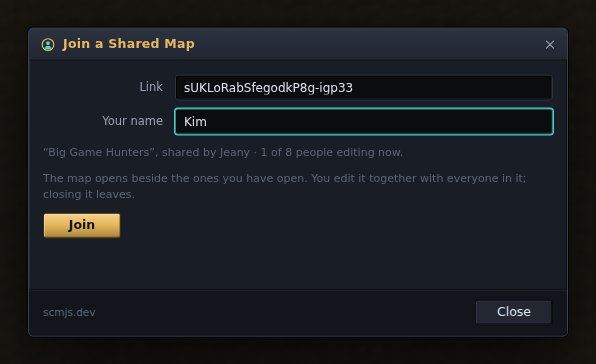
Open the link in a browser and the editor starts with the Join dialog up. In the desktop app, or in an editor that is already open, paste the link into Account ▸ Join a Shared Map…. The dialog says which map the link leads to, who shared it and how many people are in it; type the name the others will see you by and press Join. The map opens in a new tab beside whatever you had open (or in place of the empty map the editor starts with). Closing that tab leaves the shared map.
You can be in one shared map at a time. Joining another leaves the first, which stays open as an ordinary map.
Talking to each other#
While a shared map is in front, a Chat button sits in the bottom-right corner of the map, next to the tileset and zoom. It opens a small window over the map with what everyone has written and a line to type in; Enter sends. What you type there goes to everyone in the map and nowhere else, and typing in it does not trigger the editor's shortcut keys.
When the chat is closed, a new message shows as a notice and as a count on the button. Anyone who joins later sees what was said before them. The chat is kept only while people are in the map: it is gone when sharing ends, or when everyone has left a map kept open, and it is not saved with the map.
When two people change the same thing#
- Your stroke is never cut in two. While you hold the mouse button on the map, other people's changes wait and arrive when you let go. The same happens while a dialog that edits the map is open (Player Settings, the Trigger Editor, Unit Properties and the like); the others see that you are in it, next to your pointer and in the Share dialog.
- The later change wins. If two people paint the same tile, the change the server got second stays. If two people move the same unit, the first move stands and the second is dropped, because the unit is no longer where the second person's editor had it; the status bar says when some of your change no longer applied. A dialog's OK writes its whole table, so if two people change the triggers at the same time, the second OK wins. When you see someone in the Trigger Editor, talk before you open it too.
- Undo is yours. Ctrl+Z takes back your own changes, not other people's, and leaves a tile alone once someone else has painted over it.
- Resize, a tileset change and a raw section edit replace the whole map for everyone, and everyone's undo history starts again, as it does when you do them alone.
Saving, and when it ends#
Saving is each person's own: File ▸ Save writes your copy to your disk, and anyone in the map can save at any time. A map shared until everyone leaves is kept on scmjs.dev only while it is shared, and nothing of it is stored there afterwards; a map kept open is one of the sharer's maps in My Maps, and its revisions stay there after sharing ends. Everyone still has the map open in their editor when sharing ends, so nobody loses work — save it.
A server restart ends a map shared until everyone leaves, but not a map kept open: the editors in it reconnect on their own when the server is back and carry on.
If your connection drops, the status bar says Reconnecting… and you can keep working: your changes are kept and sent once the connection is back, and you get everyone else's changes from while you were gone. The others see you as having lost the connection meanwhile. If you are away so long that the server has moved on, the shared map opens again in a new tab with everyone's latest, and your copy stays open in its own tab, with a note saying how many of your changes the others never got. After two minutes of trying, the editor gives up and leaves the shared map; the map stays open, and the link still works.
If the server cannot take one of your changes, your editor leaves the shared map and says so. The map stays open; save it, or open the link again to carry on with everyone's latest.