
Playing against a bot
On the play page a bot is chosen where a computer player is: in a computer's row of the setup screen.
Open scmjs.dev/play. The game runs from your own StarCraft files, so the first time the page asks for the folder StarCraft is installed in. Then open a map with Open a Map File…, or drop one on the page. Under Players, every computer row has a list of who plays it, and a race beside it:
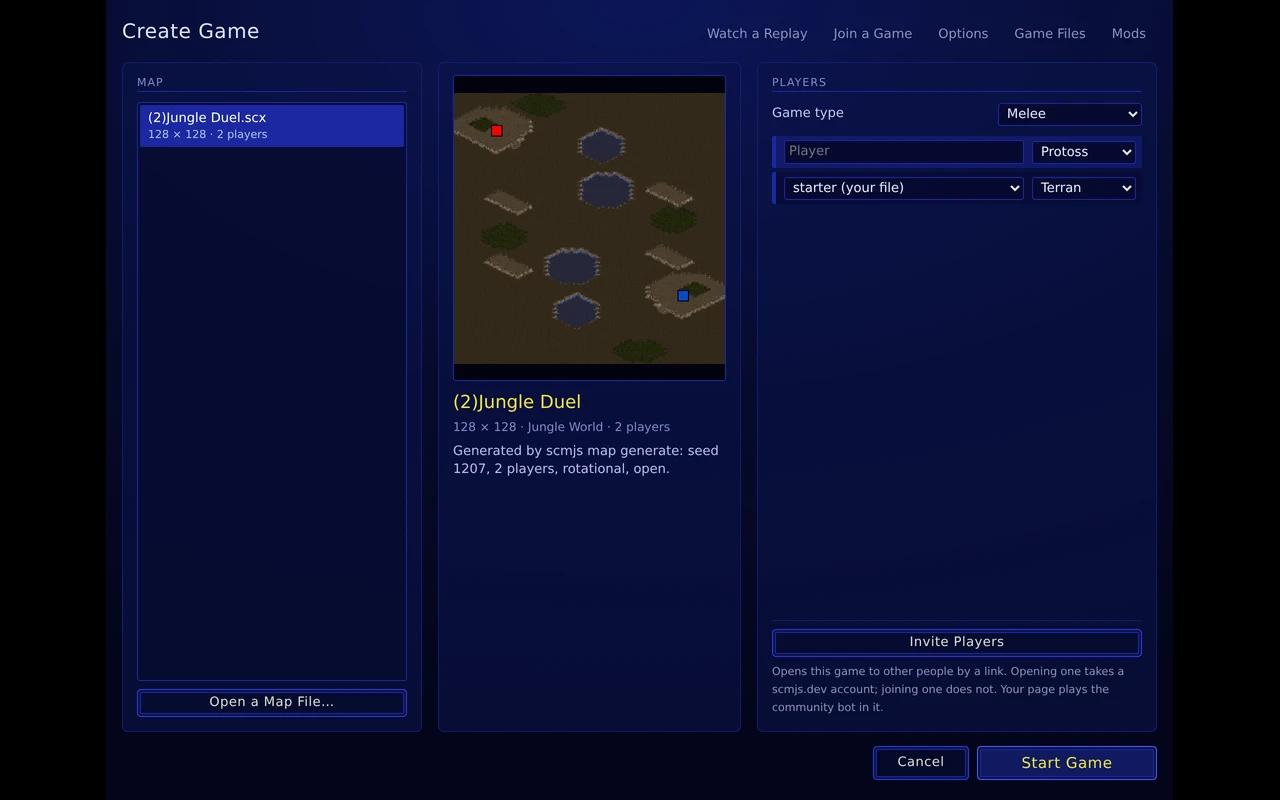
| In the list | What it is |
|---|---|
| Computer | StarCraft's own computer player |
| Vanta, Starter and Gather, marked "(JavaScript)" | The page's own bots, written in JavaScript. Vanta is the strongest, Starter is the one this guide teaches from, and Gather is a small example (how good the sample bots are) |
| McRave, UAlbertaBot | Two BWAPI bots, built from their authors' source as it is. They need a scmjs.dev account: signed out, their names end "(sign in to play)" |
| Cosmonarchy Example | A small BWAPI bot made for the Cosmonarchy BW mod (bots for mods). It needs an account too |
| name (your file) | A bot you added from a file: a JavaScript bot or a built BWAPI bot (running a bot) |
| Closed | Nobody |
Press Start Game. One bot plays in a game; the other computer rows are StarCraft's own.
A BWAPI bot may write files at the end of a game, such as which openings won against you. The page keeps them in this browser and hands them back at the start of the bot's next game, as the tournaments do. Options ▸ Community bots says how much is kept, and Forget clears it.
A bot can play in other games than one you set up alone:
- A game between people. The host chooses the bot in a computer row of the lobby. The host's page runs it, and the other pages see one more player.
- A replay taken over. Play From Here in the editor stops a replay at a moment and lets you play on from it, with a bot on the other side.
- A map you are making. With Choose on the play page as the game type of Test Map, the map opens on this setup screen.
- A mod. Choose it under Mods first: the bot then plays the mod's units by the mod's rules (bots for mods).